Customer Service Auto Reply helps businesses automatically answer common customer questions using keyword-triggered SMS responses.
Instead of requiring customers to wait for a support representative, businesses can provide instant answers to frequently asked questions, service information, appointment details, pricing information, documents, and support resources.
By automating routine customer communication, businesses can improve customer experience, reduce support workload, and strengthen long-term customer relationships.
What Is Customer Service Auto Reply?
Customer Service Auto Reply is a customer communication automation system that automatically responds to customer inquiries when predefined keywords are received.
Customers simply text a keyword and receive the information they need instantly.
This approach allows businesses to provide self-service customer support while reducing repetitive phone calls and manual responses.
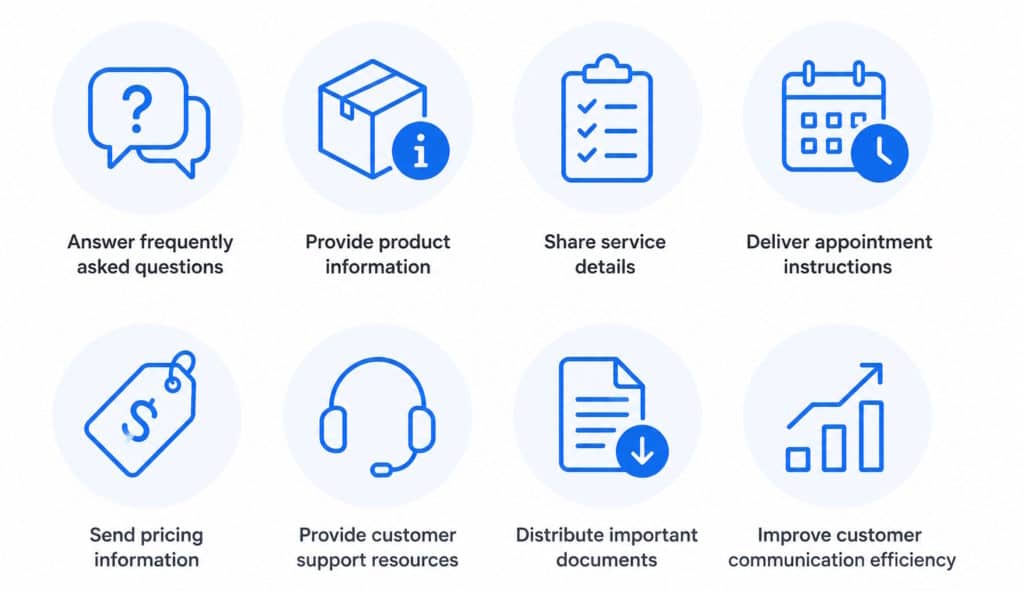
Businesses can use Customer Service Auto Reply to:
- Answer frequently asked questions
- Provide product information
- Share service details
- Deliver appointment instructions
- Send pricing information
- Provide customer support resources
- Distribute important documents
- Improve customer communication efficiency
Customer Service Auto Reply helps support teams deliver faster service while improving overall customer satisfaction.
Customer Relationship Management through Automation
Customer relationships extend far beyond a single transaction.
Successful businesses focus on building long-term, mutually beneficial relationships with their customers.
Keyword-based customer communication automation with Custom Auto Reply Messages supports Customer Relationship Management by helping businesses:
Provide Effective Customer Service
Customers receive immediate access to information when they need it.
Improve Customer Experience
Fast answers reduce frustration and improve convenience.
Increase Customer Loyalty
Consistent communication helps build trust and encourages repeat business.
Support Customer Success
Customers can quickly access information needed to successfully use products and services.
As customer communication volumes increase, automation can help customer service, customer support, and customer success teams maintain responsiveness without increasing workload.
Customer communication management becomes easier when routine inquiries can be answered automatically while support teams focus on more complex customer needs.
Common Customer Service Challenges
Many businesses receive the same customer questions repeatedly throughout the day.
Common challenges include:
Repetitive Customer Questions
Customers repeatedly ask for:
- Pricing information
- Business hours
- Service details
- Appointment instructions
- Product information
- Documentation requirements
High Call Volumes
Phone calls consume valuable staff time when customers need basic information.
Busy Work Periods
Businesses often cannot answer every inquiry immediately.
Industries commonly affected include:
- Massage and beauty salons
- Barbershops
- Health spas
- Medical clinics
- Service providers
- Local businesses
After-Hours Customer Requests
Customers frequently contact businesses:
- After business hours
- On weekends
- During holidays
- During peak operating periods
Without automation, customers may wait hours or days for simple answers. Customer communication automation helps businesses respond more efficiently by providing immediate answers to frequently asked questions and common support requests.
Businesses can also combine customer service workflows with After-Hours Auto Reply automation to maintain communication outside normal operating hours.
Business Hours Communication
Customer Service Auto Reply can automatically inform customers about:
- Business hours
- Holiday schedules
- Weekend availability
- Support availability
- Expected response times
This helps customers understand when assistance will be available and reduces unnecessary follow-up inquiries.
Example message:
“Thank you for contacting us. Our support team is currently unavailable. We respond to customer inquiries during business hours and will get back to you as soon as possible.”
Expected Response Time Messages
Setting clear expectations is an important part of customer service.
Automated messages can inform customers that:
- Responses are typically provided within 24 business hours
- Support requests are currently being reviewed
- Service teams will follow up as soon as possible
- Customer inquiries have been successfully received
Clear communication helps improve customer satisfaction, customer trust, and overall customer experience while reducing uncertainty during the support process.
Example message:
“Thank you for contacting our support team. Your request has been received and is currently under review. We typically respond within one business day.”
Support Queue Messages
Customer Service Auto Reply can notify customers that their inquiry has been received and added to the support queue.
These messages help manage expectations by informing customers that their request is being processed and will be reviewed by the appropriate team member.
Keyword-Based FAQ Auto Reply Bot
No customer wants to wait for answers.
Keyword-based customer service automation allows businesses to provide immediate responses to common questions through SMS.
How It Works
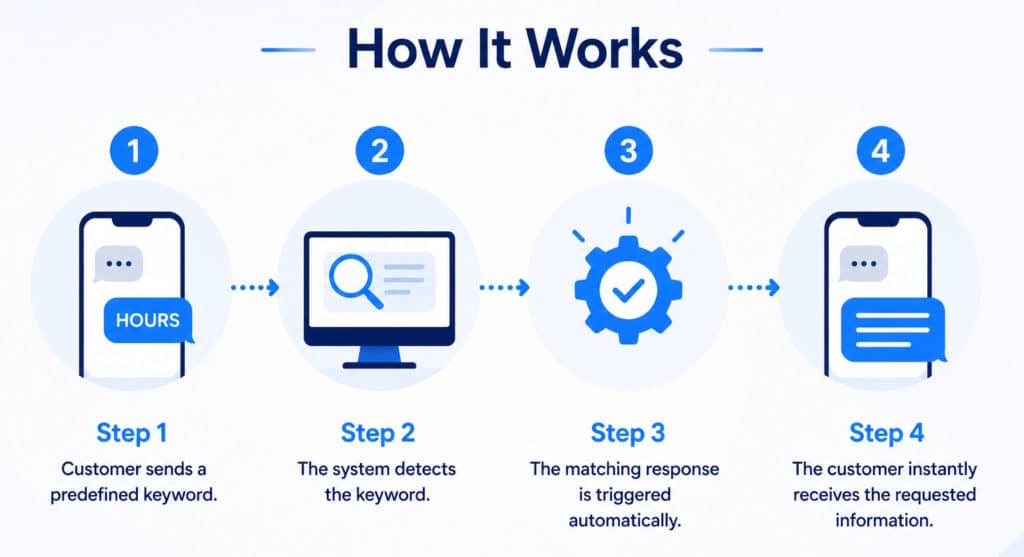
Step 1
Customer sends a predefined keyword.
Step 2
The system detects the keyword.
Step 3
The matching response is triggered automatically.
Step 4
The customer instantly receives the requested information.
Using Keyword-Based SMS Response, businesses can create automated customer service workflows that operate 24 hours a day.
Customer Service Automation Examples
Real Estate Customer Service
Customers often request information while viewing a property advertisement.
Keyword automation can instantly provide:
- Property details
- Property pricing
- Virtual tour links
- Property brochures
- Showing schedules
- Application documents
- Property specifications
This reduces repetitive inquiries while improving customer responsiveness.
Learn more about Real Estate SMS Marketing.
Automotive Dealers
Dealerships can use portions of a VIN number as a keyword trigger.
Customers text the code displayed on vehicle stickers and automatically receive:
- Vehicle specifications
- Pricing information
- Financing options
- Vehicle history details
- Inventory listings
- Test-drive information
This creates a self-service customer experience while reducing sales staff workload.
Healthcare and Clinics
Patients frequently request:
- Office hours
- Appointment preparation instructions
- Insurance information
- Required documentation
- Location details
Keyword SMS Marketing automation can provide these answers instantly. Keyword-based customer service automation can instantly provide office information, appointment instructions, documentation requirements, and other frequently requested patient resources.
Ecommerce Customer Service
Online stores frequently receive repetitive customer inquiries regarding:
- Order status
- Shipping times
- Returns
- Exchanges
- Product availability
Keyword-based customer service automation can instantly answer these common questions, helping ecommerce businesses reduce support workloads while improving customer satisfaction and communication efficiency.
Customers can simply text a keyword such as:
- ORDER
- SHIPPING
- RETURNS
- TRACK
- HELP
and immediately receive the information they need without waiting for a support representative.
Service Providers
Contractors, consultants, repair technicians, and local service businesses can automatically provide:
- Service descriptions
- Pricing ranges
- Availability information
- Booking instructions
- Frequently requested documents
Benefits of Customer Service Auto Reply
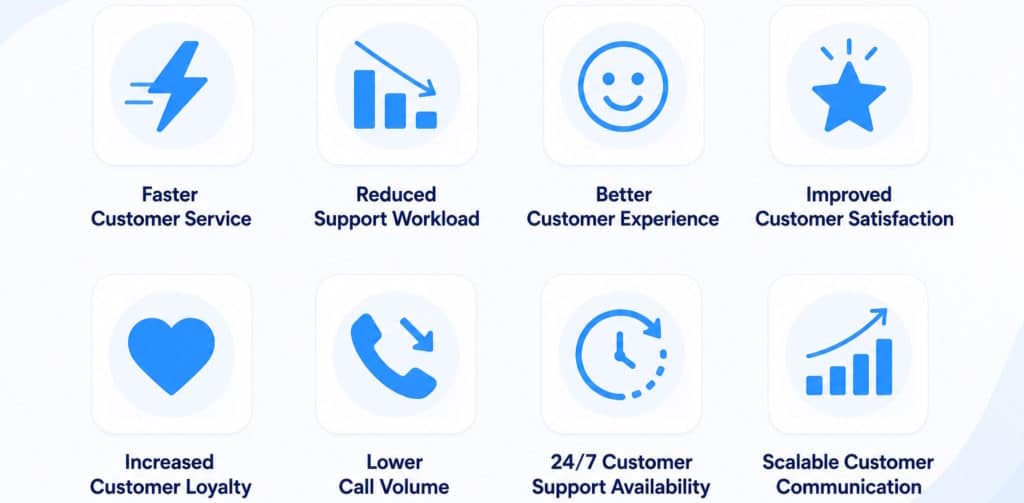
Faster Customer Service
Customers receive instant answers to common questions without waiting for a support representative. Automated keyword responses help reduce delays and improve responsiveness across customer service workflows. Learn about Keyword-Based SMS Response.
Reduced Support Workload
Automation handles repetitive customer inquiries automatically, allowing support teams to focus on complex issues that require personal attention. This improves efficiency and resource allocation across the organization.
Better Customer Experience
Customers can access information immediately whenever they need assistance. Faster access to answers creates a smoother support experience and helps businesses deliver more consistent customer communication.
Improved Customer Satisfaction
Quick responses help customers feel valued and informed. Providing immediate answers to frequently asked questions can improve satisfaction levels and reduce frustration caused by communication delays.
Increased Customer Loyalty
Consistent communication helps build trust over time. Customers are more likely to remain loyal when they can easily access information and receive reliable support whenever needed.
Lower Call Volume
Many common customer questions can be answered automatically through keyword-triggered replies. This reduces incoming phone calls and allows staff to spend more time assisting customers with complex requests.
24/7 Customer Support Availability
Customer information remains accessible outside normal business hours, including evenings, weekends, and holidays. Businesses can combine customer service workflows with After-Hours Auto Reply automation.
Scalable Customer Communication
As customer inquiries increase, automation helps maintain communication quality without requiring additional staff. Businesses can efficiently support growing customer bases while delivering consistent service experiences through Contact-Based Auto Reply workflows.
Improved Communication Consistency
Every customer receives the same accurate information regardless of when they contact the business. Customer communication consistency helps strengthen trust and improve service quality.
Customer Service Auto Reply vs Business Lead Response
Although both use automation, their purpose is different.
Business Lead Response
Focuses on prospective customers before becoming customers.
Goals include:
- Lead generation
- Inquiry capture
- Sales engagement
- Consultation requests
Customer Service Auto Reply
Focuses on existing customers.
Goals include:
- Customer support
- FAQ delivery
- Service information
- Customer success
- Relationship management
- Customer satisfaction
This distinction is important for both SEO and AI topic understanding.
Customer Communication and Customer Experience
Effective customer communication is one of the foundations of successful customer relationship management. Customers expect businesses to acknowledge requests quickly and provide clear information about response times and next steps.
Resources from HubSpot Customer Service Resources emphasize the importance of responsive customer communication, while insights from Zendesk Customer Experience Trends highlight the connection between customer experience, responsiveness, and long-term loyalty.
Customer Service Auto Reply helps businesses maintain these communication standards consistently and at scale. Customer communication automation helps businesses maintain these standards consistently while improving responsiveness and customer satisfaction.
Automate Customer Service and Strengthen Customer Relationships
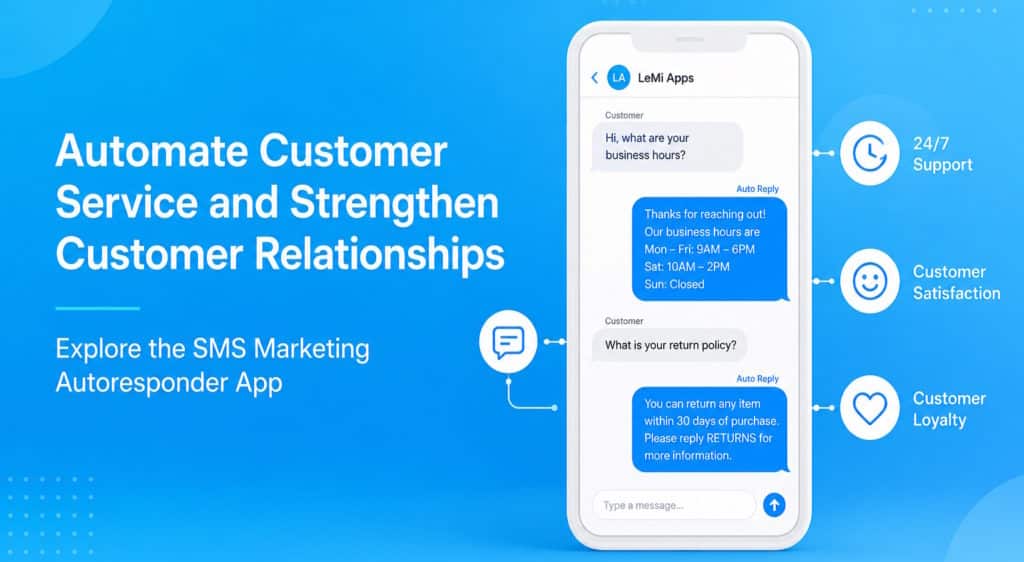
Deliver instant answers, improve customer communication consistency, reduce repetitive inquiries, strengthen customer relationships, and streamline customer communication management with keyword-based customer service automation.
Explore the SMS Marketing Autoresponder App
Frequently Asked Questions
What is Customer Service Auto Reply?
Customer Service Auto Reply automatically responds to customer inquiries using predefined keywords and automated messages. It helps businesses provide instant answers to common customer questions and support requests.
How does Customer Service Auto Reply work?
Customers send a predefined keyword by text message. The system detects the keyword and automatically sends the associated response containing information, instructions, links, documents, or support resources.
Can Customer Service Auto Reply answer frequently asked questions?
Yes. Businesses can create keyword-triggered responses for common customer questions about services, pricing, appointments, business hours, policies, products, and support procedures.
Is Customer Service Auto Reply useful for customer support teams?
Yes. Customer support teams can reduce repetitive inquiries, improve response times, and provide customers with immediate access to frequently requested information.
Can Customer Service Auto Reply operate outside business hours?
Yes. Automated responses can continue working during evenings, weekends, holidays, and other periods when staff members are unavailable.
Can I create multiple customer service keywords?
Yes. Businesses can create multiple keywords and assign a unique response to each keyword, allowing customers to request different types of information automatically.
What types of information can be sent automatically?
Businesses can automatically send service information, pricing details, appointment instructions, property information, product details, brochures, links, documents, FAQs, and customer support resources.
Can Customer Service Auto Reply reduce phone calls?
Yes. Many repetitive questions can be answered automatically through keyword-based responses, reducing incoming call volume and allowing staff to focus on more complex customer needs.
Is Customer Service Auto Reply suitable for small businesses?
Yes. Small businesses often use automation to provide professional customer communication without requiring dedicated support staff to answer every inquiry manually.
Which industries can benefit from Customer Service Auto Reply?
Common industries include healthcare clinics, ecommerce stores, real estate businesses, automotive dealerships, beauty salons, spas, contractors, consultants, and other service providers.
Can Customer Service Auto Reply improve customer satisfaction?
Yes. Customers appreciate receiving immediate responses and clear information. Faster communication helps create a better customer experience and improves overall satisfaction.
Can different customer questions receive different responses?
Yes. Each keyword can trigger a different automated message, allowing businesses to build structured customer service workflows for various support scenarios.
Does Customer Service Auto Reply replace customer service representatives?
No. Automation handles repetitive and frequently asked questions, while customer service representatives continue assisting customers with complex requests and personalized support.
How does Customer Service Auto Reply support Customer Relationship Management?
Customer Service Auto Reply helps businesses maintain consistent communication, improve customer experience, strengthen customer loyalty, and provide faster access to information throughout the customer relationship lifecycle.
Can Customer Service Auto Reply work together with other automation features?
Yes. Customer service automation can be combined with Custom Auto Reply Messages, Contact-Based Auto Reply, Scheduled Auto Reply, and After-Hours Auto Reply workflows to create more advanced communication processes.