Stay Responsive During Meetings without Interruptions
Meetings & Unavailable Times Auto Reply is a communication automation workflow that automatically responds to incoming text messages while you are attending meetings, presentations, interviews, workshops, or focused work sessions. By sending an automatic SMS response, professionals can maintain communication, manage expectations, and remain productive without interrupting important activities.
Meetings, presentations, client calls, workshops, interviews, and focused work sessions often make it difficult to respond immediately to incoming messages. At the same time, colleagues, customers, clients, and business partners expect communication and acknowledgment.
Meeting auto reply automation and business availability automation help bridge this gap by automatically responding to incoming messages while you remain focused on the task at hand.
Instead of manually checking your phone or replying during important conversations, automated responses can inform contacts that you are currently unavailable and will respond later.
Why Use Auto Reply during Meetings?
Communication expectations continue to increase across both personal and professional environments. Delayed responses can sometimes create uncertainty, especially when customers, coworkers, or business contacts need quick acknowledgment.
Meeting auto reply workflows help:
- Set communication expectations
- Reduce interruptions during meetings
- Improve professional communication
- Maintain responsiveness while unavailable
- Prevent repeated follow-up messages
- Support productivity and focus
Many professionals use automated replies during:
- Internal meetings
- Client meetings
- Sales calls
- Interviews
- Training sessions
- Presentations
- Workshops
- Focus work periods
- Temporary unavailable periods
Professional Communication without Constant Phone Checking
Checking messages during meetings can be distracting and may negatively affect productivity.
Auto reply automation allows communication to continue without requiring immediate attention.
Example:
“Thank you for your message. I am currently in a meeting and may not be able to respond immediately. I will get back to you as soon as possible.”
This simple acknowledgment can improve communication while reducing pressure to respond instantly.
Who Uses Meeting Auto Reply Automation?
Meeting auto reply is commonly used by remote workers, consultants, sales teams, small business owners and also:
- Business professionals
- Sales representatives
- Customer support teams
- Coaches
- Real estate agents
- Healthcare providers
- Executives and managers
How Meeting Auto Reply Works
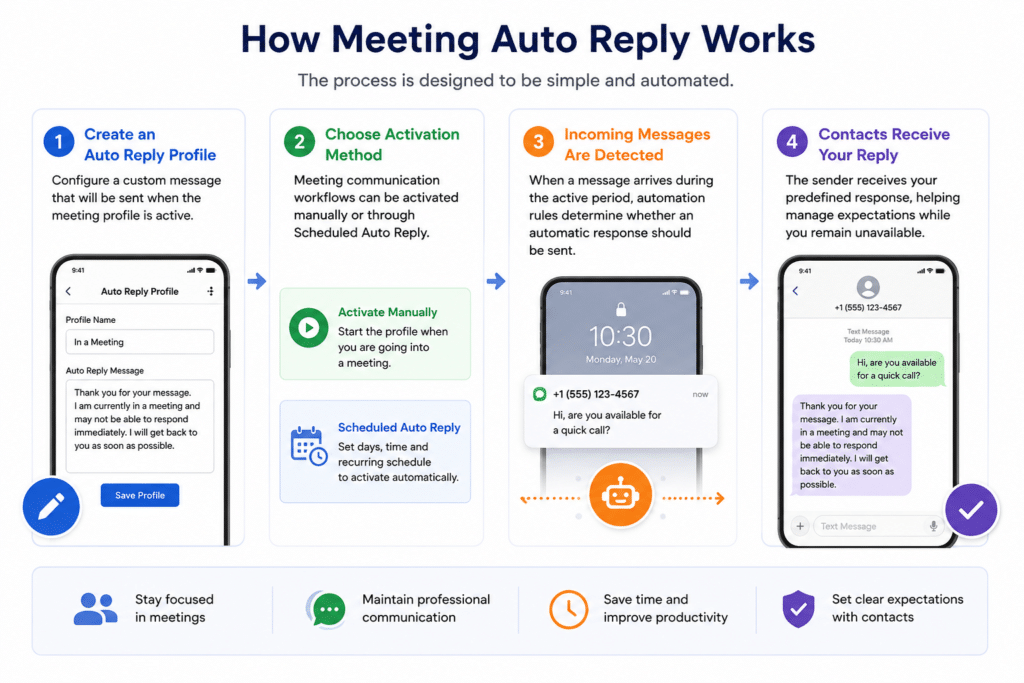
The process is designed to be simple and automated.
Step 1 – Create an Auto Reply Profile
Configure a custom message that will be sent when the meeting profile is active.
Step 2 – Choose Activation Method
Meeting communication workflows can be activated manually or through Scheduled Auto Reply.
Step 3 – Incoming Messages Are Detected
When a message arrives during the active period, automation rules determine whether an automatic response should be sent.
Step 4 – Contacts Receive Your Reply
The sender receives your predefined response, helping manage expectations while you remain unavailable.
Common Use Cases
Client Meetings
Keep customers informed when you cannot immediately respond during consultations, sales calls, or project discussions.
Team Meetings
Reduce interruptions while maintaining communication transparency with coworkers and business contacts.
Focus Time
Many professionals use auto reply workflows during deep work sessions where concentration is essential.
Interviews and Presentations
Avoid distractions while maintaining professional communication with incoming contacts.
Benefits of Meeting Communication Automation
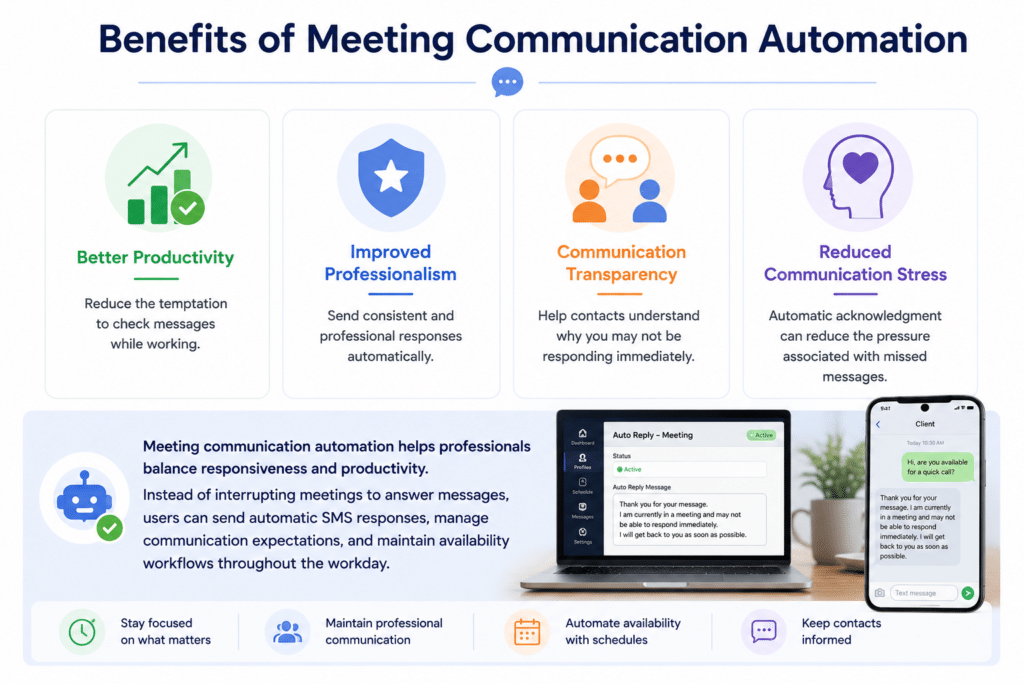
Better Productivity
Reduce the temptation to check messages while working.
Improved Professionalism
Send consistent and professional responses automatically.
Communication Transparency
Help contacts understand why you may not be responding immediately.
Reduced Communication Stress
Automatic acknowledgment can reduce the pressure associated with missed messages.
Meeting communication automation helps professionals balance responsiveness and productivity. Instead of interrupting meetings to answer messages, users can send automatic SMS responses, manage communication expectations, and maintain availability workflows throughout the workday.
Why Use LeMi Apps for Meeting Auto Reply
LeMi Apps helps professionals maintain communication while remaining focused on meetings, presentations, interviews, workshops, and other unavailable periods.
Key capabilities include:
- Automatic SMS responses during meetings
- Scheduled Auto Reply activation
- Custom meeting reply messages
- Contact-based communication rules
- Personalized auto replies
- One reply per contact controls
- Do Not Reply lists
- Business availability automation
- Communication workflow management
- Flexible activation and scheduling options
Whether you are attending client meetings, leading presentations, participating in interviews, or focusing on important work, LeMi Apps helps keep communication active without unnecessary interruptions.
By automatically acknowledging incoming messages, users can improve professionalism, maintain responsiveness, and reduce communication-related distractions throughout the workday.
Combine Meetings Automation with Other Communication Workflows
Meeting automation is often combined with other communication profiles depending on availability and work schedules.
Scheduled Availability Automation
Create recurring schedules for business hours, after-hours communication, or unavailable periods.
Out of Office Auto Reply
Use longer-term automation during vacations, travel, conferences, or leave periods.
SMS Auto Reply Workflows
Manage communication across a variety of personal and business situations.
Meeting Auto Reply vs Do Not Disturb
Although both features help reduce interruptions, they serve different purposes.
Meeting Auto Reply
Meeting Auto Reply automatically responds to incoming messages with a predefined message.
Benefits include:
- Contacts receive immediate acknowledgment
- Communication expectations are managed
- Customers and coworkers know you are unavailable
- Professional communication remains active
- Missed messages create less uncertainty
Do Not Disturb
Do Not Disturb silences notifications and alerts but typically does not inform contacts why you are unavailable.
Benefits include:
- Fewer interruptions
- Reduced notification noise
- Better concentration
Which Option Is Better?
Many professionals prefer Meeting Auto Reply because it combines reduced interruptions with communication transparency.
Instead of simply silencing notifications, automatic replies help maintain professional communication while allowing users to stay focused on meetings, presentations, interviews, and important work sessions.
Best Practices for Meeting Auto Reply Messages
Keep Messages Short
Clear and concise messages are easier for contacts to understand.
Set Expectations
Let people know when they can expect a response.
Remain Professional
Use language appropriate for customers, coworkers, and business contacts.
Example Meeting Reply
Thank you for your message. I am currently in a meeting and unavailable to respond. I will reply as soon as possible.
Example Focus Session Reply
I am currently focused on work and may not see messages immediately. I will respond when available.
Industries That Use Meeting Auto Reply Automation
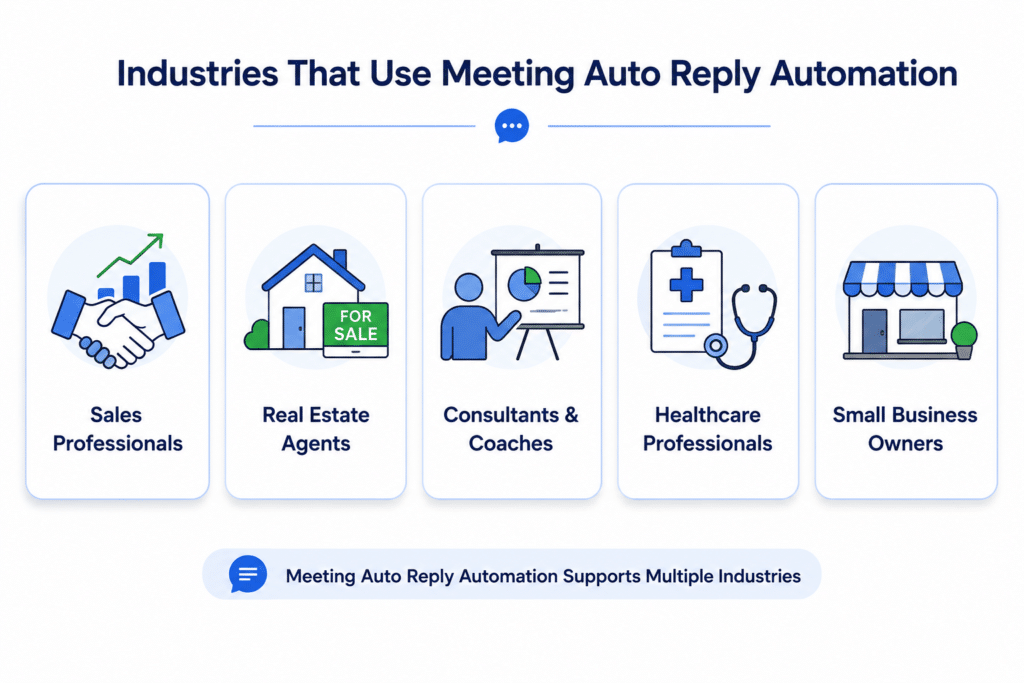
Sales Professionals
Sales teams frequently use meeting auto reply workflows during client calls, demos, and consultations.
Real Estate Agents
Agents can automatically acknowledge incoming inquiries while showing properties or meeting clients.
Consultants and Coaches
Consultants often use automatic replies during workshops, training sessions, and client meetings.
Healthcare Professionals
Medical offices and healthcare providers can use communication automation during appointments and consultations.
Small Business Owners
Business owners frequently rely on automated communication workflows to maintain responsiveness throughout the day and respond quickly to new leads.
Learn More about Communication Productivity
Communication interruptions, context switching, and constant notifications can impact focus, productivity, and work quality. Research organizations and workplace studies continue to highlight the importance of reducing distractions and managing communication effectively during meetings and focused work sessions.
Learn more from the Microsoft Work Trend Index, which explores modern workplace productivity trends, communication challenges, and focus time strategies.
Additional research and resources on workplace behavior, attention management, and productivity are available from the American Psychological Association.
This information can help professionals better understand the impact of interruptions and the value of creating structured communication workflows during meetings and unavailable periods.
Improve Communication with Meetings & Unavailable Times Auto Reply
Professional communication does not always require immediate responses. Automated replies can acknowledge incoming messages, set expectations, and help maintain responsiveness during meetings, presentations, interviews, and focused work sessions.
✔ Automatically reply during meetings
✔ Create recurring availability schedules
✔ Customize professional response messages
✔ Reduce distractions and improve productivity
✔ Maintain communication transparency
Common Questions About Meeting Auto Reply
What is a meeting auto reply?
A meeting auto reply is an automatic message sent to contacts when you are attending meetings, presentations, interviews, workshops, or focus sessions and cannot respond immediately. Meeting auto reply automation helps maintain communication while reducing interruptions and distractions.
How do automatic replies help during meetings?
Automatic replies acknowledge incoming messages, set expectations, and help maintain professional communication while reducing interruptions. They allow users to stay focused on meetings while keeping communication active.
Can meeting auto replies improve productivity?
Yes. By reducing message-related distractions, meeting auto replies help professionals stay focused, improve productivity, and maintain communication without constantly checking their phones.
What is the difference between meeting auto reply and out-of-office auto reply?
Meeting auto replies are typically short-term and activated during specific meetings, presentations, or work sessions. Out-of-office auto replies are generally used during vacations, business travel, holidays, or extended periods of unavailability.
Can meeting auto reply work with scheduled automation?
Yes. Many users combine meeting auto reply with scheduled automation to automatically activate communication workflows during recurring meetings, focus sessions, business hours, or unavailable periods.
Can I create a custom automatic reply message for meetings?
Yes. Users can create personalized auto reply messages for different situations, including client meetings, team meetings, interviews, presentations, workshops, and focus time.
Can meeting auto reply activate automatically at scheduled times?
Yes. Meeting auto reply can be combined with Scheduled Auto Reply workflows to activate automatically during recurring meetings, focus sessions, or unavailable periods.
Can I create different replies for different situations?
Yes. Users can create custom automatic reply messages for meetings, presentations, interviews, workshops, client consultations, and other communication scenarios.
Is meeting auto reply useful for remote workers?
Yes. Many remote workers use meeting auto reply automation to manage communication during virtual meetings, video conferences, and focused work sessions.
Can meeting auto reply help customer-facing teams?
Yes. Sales teams, consultants, customer service professionals, and small business owners frequently use automatic replies to maintain responsiveness during meetings.
Will contacts know I am unavailable?
Yes. Automatic replies can inform contacts that you are currently unavailable and will respond when possible.
Can I use meeting auto reply during presentations?
Yes. Many professionals activate meeting auto reply during presentations, training sessions, webinars, and public speaking engagements.
Does meeting auto reply improve professional communication?
Yes. Automatic responses help set expectations, reduce uncertainty, and provide consistent communication experiences.
Can meeting auto reply reduce communication stress?
Yes. Automatic acknowledgment helps reduce concerns about missed messages and allows users to focus on their current responsibilities.
Can meeting auto reply support business communication workflows?
Yes. Meeting auto reply is often used as part of broader communication automation strategies that include business hours, after-hours communication, and out-of-office workflows.
Can I combine meeting auto reply with other automation features?
Yes. Meeting auto reply can be combined with scheduled automation, contact-based rules, custom messages, and other communication workflow features.