Being unavailable does not mean communication should stop.
Out of Office Auto Reply helps individuals, professionals, and businesses automatically respond to incoming messages when they are away from work, on vacation, traveling, attending conferences, or temporarily unavailable.
Instead of leaving contacts wondering why there is no response, automated replies provide immediate acknowledgment and set clear expectations about availability.
Whether you are taking time off, working remotely, attending meetings, or traveling internationally, communication automation helps maintain professionalism and transparency.
What Is Out of Office Auto Reply?
Out of Office Auto Reply is a communication automation workflow that automatically sends predefined responses when you cannot personally respond to messages.
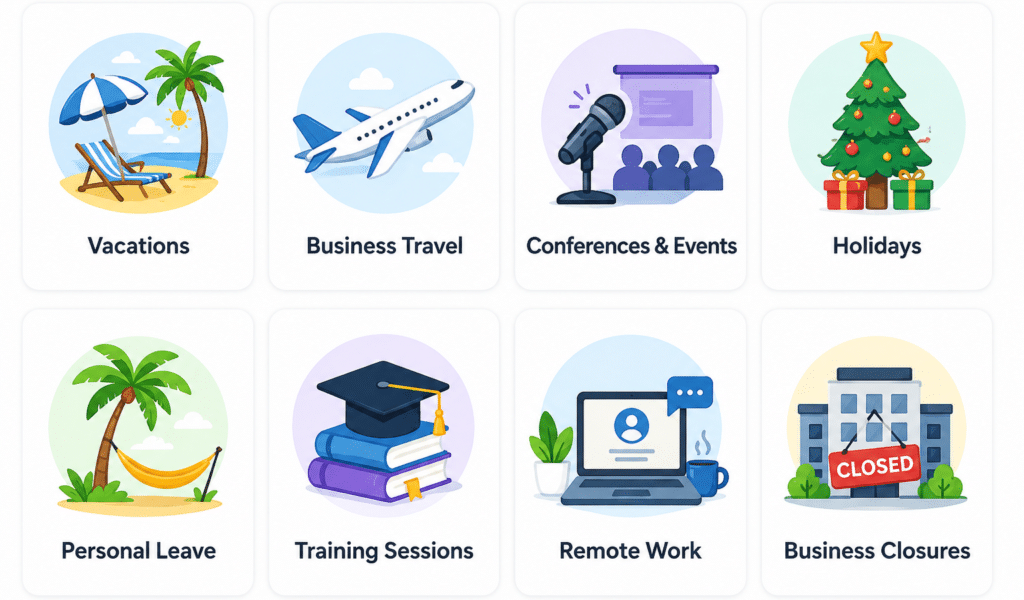
Many professionals use out-of-office automation during:
- Vacations
- Business travel
- Conferences and events
- Holidays
- Personal leave
- Medical appointments
- Training sessions
- Remote work periods
- Temporary business closures
Unlike manual responses, automatic replies are delivered instantly whenever new messages arrive.
For recurring schedules, users often combine out-of-office automation with our Scheduled Auto Reply feature.
Why Use Out of Office Auto Reply?
When people send messages, they often expect a timely response.
Without communication automation, contacts may:
- Send multiple follow-up messages
- Assume the message was missed
- Become frustrated by delays
- Seek alternative providers or contacts
An automatic response immediately confirms that the message was received and informs the sender of your current availability.
Benefits of Out of Office Communication Automation
Maintain Professional Communication
Automatic replies help ensure every sender receives acknowledgment even when you are unavailable.
Set Clear Expectations
Inform contacts when you are expected to return and when they may receive a response.
Reduce Missed Opportunities
Customers, prospects, and business contacts know their message was received.
Improve Customer Experience
Quick acknowledgment often creates a better communication experience than silence.
Reduce Communication Stress
Knowing that contacts receive immediate responses can reduce pressure while away from work.
Common Out of Office Auto Reply Scenarios
Vacation Auto Reply
Many professionals activate automatic replies before vacations to notify contacts about temporary unavailability.
Typical vacation replies may include:
- Return date
- Alternative contact information
- Emergency contact instructions
Business Travel Auto Reply
Business travelers frequently receive messages while attending conferences, meetings, and client visits.
Out-of-office automation can help maintain communication without requiring constant device monitoring.
Conference and Event Attendance
Professionals attending trade shows, seminars, and industry events often use automatic replies to acknowledge incoming communication while focused on networking and presentations.
Holiday Auto Reply
Businesses commonly activate automated communication during holidays and office closures.
Many organizations publish holiday schedules through communication workflows and customer service channels.
Remote Work and Flexible Schedules
Modern workplaces increasingly operate through remote work, hybrid work arrangements, distributed teams, and flexible schedules. Employees often work across multiple locations and time zones, making communication availability more difficult to manage.
Out of Office Auto Reply helps support digital communication by automatically informing contacts when a person is unavailable, away from their workstation, attending meetings, traveling, or working outside normal business hours.
For organizations, communication automation can also contribute to business continuity by helping maintain responsiveness and communication transparency when employees are temporarily unavailable.
According to the Society for Human Resource Management (SHRM), flexible and remote work arrangements continue to be widely adopted across many industries.
How Out of Office Auto Reply Works
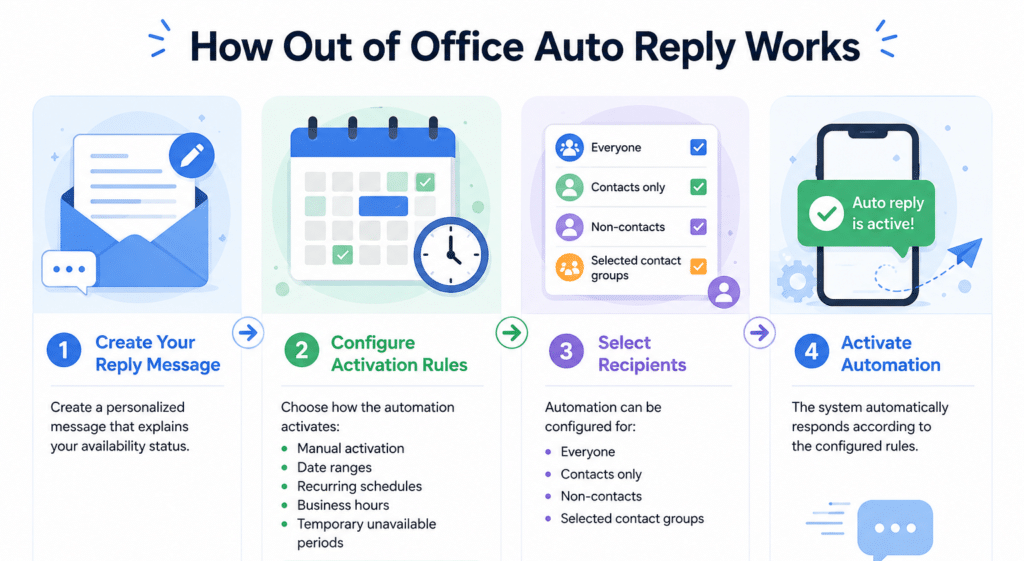
Step 1: Create Your Reply Message
Create a personalized message that explains your availability status.
Step 2: Configure Activation Rules
Choose how the automation activates:
- Manual activation
- Date ranges
- Recurring schedules
- Business hours
- Temporary unavailable periods
Many users configure recurring workflows through Scheduled Auto Reply Automation.
Step 3: Select Recipients
Automation can be configured for:
- Everyone
- Contacts only
- Non-contacts
- Selected contact groups
Step 4: Activate Automation
The system automatically responds according to the configured rules.
Example Out of Office Auto Reply Messages
Vacation Example
“Thank you for your message. I am currently out of the office and will return on July 10. I will respond as soon as possible upon my return.”
Business Travel Example
“Thank you for reaching out. I am currently traveling for business and may have limited availability.”
Holiday Example
“Our office is currently closed for the holiday period. We will resume normal operations on January 2.”
Out of Office Auto Reply vs Traditional Away Messages
Traditional Away Messages
Traditional away messages often require manual updates and may not activate automatically.
Automated Out of Office Replies
Automation provides:
- Immediate responses
- Scheduled activation
- Consistent communication
- Reduced manual effort
- Better communication coverage
Organizations increasingly use automated communication tools to support hybrid work environments and business continuity. Guidance from the International Organization for Standardization emphasizes the importance of effective communication processes during business operations and continuity planning.
Why Out of Office Auto Reply Matters
Effective communication remains important even when you are away from work. Out-of-office automation helps set clear expectations, improve customer experience, and maintain professional communication standards.
Research from the Society for Human Resource Management (SHRM) highlights the growing adoption of flexible and remote work arrangements, making availability management increasingly important for modern professionals.
Additionally, guidance from the International Organization for Standardization (ISO) emphasizes the value of consistent communication processes as part of effective business operations and continuity planning. By automatically acknowledging incoming messages, organizations and individuals can stay responsive while focusing on travel, vacations, meetings, or other out-of-office activities.
Related Communication Automation Features
Many users combine Out of Office Auto Reply with:
- Scheduled Auto Reply
- Bluetooth Triggered Auto Reply
- SMS Auto Reply & Autoresponder
- After-Hours Auto Reply
- Meeting Auto Reply
Out of Office Auto Reply for Businesses
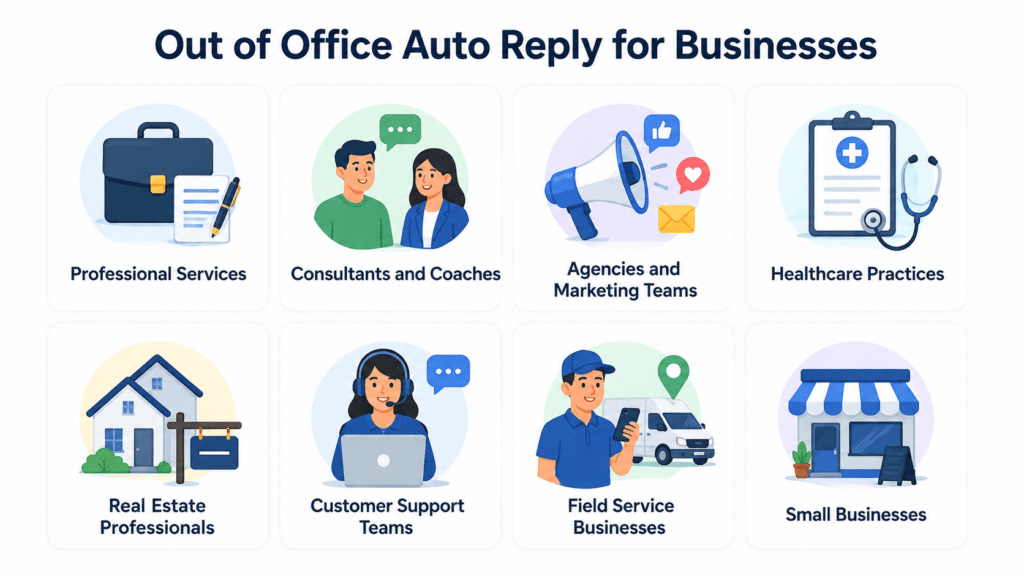
Businesses frequently use communication automation to maintain responsiveness outside normal operating conditions.
Professional Services
Consultants, attorneys, accountants, and agencies often use out-of-office communication during travel, client engagements, and vacation periods.
Consultants and Coaches
Independent consultants, business coaches, and trainers frequently use automatic replies during workshops, coaching sessions, conferences, and client meetings.
Agencies and Marketing Teams
Marketing agencies, advertising firms, and creative teams often use out-of-office automation to acknowledge client inquiries while team members are traveling, attending events, or working outside standard business hours.
Healthcare Practices
Medical offices may acknowledge appointment requests and administrative inquiries while staff are unavailable.
Real Estate Professionals
Agents commonly use automatic replies while showing properties, meeting clients, or attending industry events.
Customer Support Teams
Support departments can use automated responses during holidays, staffing shortages, after-hours periods, and temporary service interruptions to keep customers informed.
Field Service Businesses
Contractors, technicians, maintenance providers, electricians, plumbers, and other field service professionals often use communication automation while working on-site or traveling between customer locations.
Small Businesses
Small teams often rely on communication automation to maintain customer responsiveness even when resources are limited.
Why Use LeMi Apps for Out of Office Auto Reply?
LeMi Apps helps professionals and businesses automate communication whenever they are unavailable.
Key capabilities include:
- Scheduled activation
- Vacation and holiday workflows
- Custom reply messages
- Contact-based rules
- Personalized responses
- Business hours automation
- One-reply-per-contact controls
- Communication reporting
Whether you are away for a few hours, a few days, or an extended vacation, communication automation helps ensure contacts receive immediate acknowledgment.
Stay Responsive While Away
Whether you are on vacation, traveling, attending events, or temporarily unavailable, Out of Office Auto Reply helps maintain professional communication without requiring constant attention.
Try LeMi Apps and automate your out-of-office communication today.
Get Started with SMS Auto Reply & Autoresponder
Frequently Asked Questions
What is an Out of Office Auto Reply?
An Out of Office Auto Reply automatically responds to incoming messages when you are unavailable due to vacation, travel, meetings, holidays, or personal time off.
Can I schedule an out-of-office reply in advance?
Yes. Scheduled automation can activate and deactivate automatically based on selected dates and times.
Can I use Out of Office Auto Reply during vacations?
Yes. Vacation automation is one of the most common use cases for out-of-office communication workflows.
Can I create different replies for different contacts?
Yes. Personalized communication rules can be configured for selected contacts or groups.
Can businesses use Out of Office Auto Reply?
Yes. Businesses frequently use automated replies during holidays, office closures, and staff absences.
Can I activate Out of Office Auto Reply manually?
Yes. Users can enable or disable communication automation whenever needed.
Does Out of Office Auto Reply help customer communication?
Yes. Immediate acknowledgment can improve customer experience and reduce uncertainty about message delivery.
Can I combine Out of Office Auto Reply with business hours automation?
Yes. Many users combine vacation workflows with scheduled business-hour communication rules.
Can automatic replies reduce missed opportunities?
They can help ensure senders receive acknowledgment even when you are unavailable.
Is Out of Office Auto Reply useful for remote workers?
Yes. Remote workers often use communication automation to manage availability across different schedules and time zones.
What should an out-of-office message include?
An effective out-of-office message typically includes a brief explanation of your unavailability, an expected return date if applicable, and alternative contact information for urgent matters. The goal is to set clear expectations while acknowledging the sender’s message.
How long should an out-of-office message be?
Most out-of-office messages should be short and clear. A concise message that explains your availability status and expected response timeframe is usually sufficient for both personal and business communication.
Can I create a vacation auto reply for text messages?
Yes. Vacation auto reply automation can automatically respond to incoming text messages while you are away, helping inform contacts that you are unavailable and will respond when you return.
Should I include a return date in my out-of-office reply?
Including a return date can help manage expectations and provide clarity for contacts. Many professionals include an estimated return date or expected response timeframe in their automatic replies.
Can automatic replies work outside business hours?
Yes. Many users configure automatic replies to activate during evenings, weekends, holidays, and other periods when they are unavailable. Scheduled automation can help maintain communication consistency outside normal business hours.