Scheduled Auto Reply transforms communication into a predictable automation system that works around your availability.
Instead of manually enabling replies every evening, meeting, vacation, or work session, the system activates and pauses responses automatically according to the schedule you define.
This allows businesses, professionals, and individuals to maintain consistent communication without needing to stay permanently available.
Whether you want after-hours business replies, recurring meeting automation, weekend communication boundaries, or vacation messaging, Scheduled Auto Reply helps communication continue even when you are offline.
Time-Based Communication Automation
Scheduled Auto Reply is built around time-driven automation logic.
You decide:
- when communication automation starts
- when it ends
- which days it applies to
- whether it repeats weekly
- whether it runs temporarily or permanently
Unlike Bluetooth-triggered automation, which depends on connected devices, scheduled automation follows recurring time systems and availability patterns.
Common scheduling models include:
- Business hours automation
- Evening and overnight replies
- Weekend communication rules
- Meeting schedules
- Focus work sessions
- Vacation periods
- Temporary unavailability windows
- Recurring weekly availability systems
This makes Scheduled Auto Reply ideal for users whose communication patterns follow routines instead of physical triggers.
Business Hour Automation
One of the most common uses for Scheduled Auto Reply is managing communication outside operating hours.
Small businesses often receive inquiries during evenings, weekends, holidays, and unavailable periods. Without automation, customers may assume messages were ignored.
Scheduled automation helps maintain response continuity by immediately acknowledging incoming communication.
Example business hour workflow:
- Monday–Friday: 9 AM–6 PM → standard availability managment
- Evenings → after-hours auto reply
- Weekends → closed-business reply
- Holidays → temporary unavailable message
Example reply:
“Thanks for contacting us. We’re currently outside business hours but will respond as soon as we reopen.”
This helps:
- improve response consistency
- reduce missed opportunities
- set realistic expectations
- maintain professional communication standards
For businesses focused on lead response workflows, see:
Communication Boundary Management
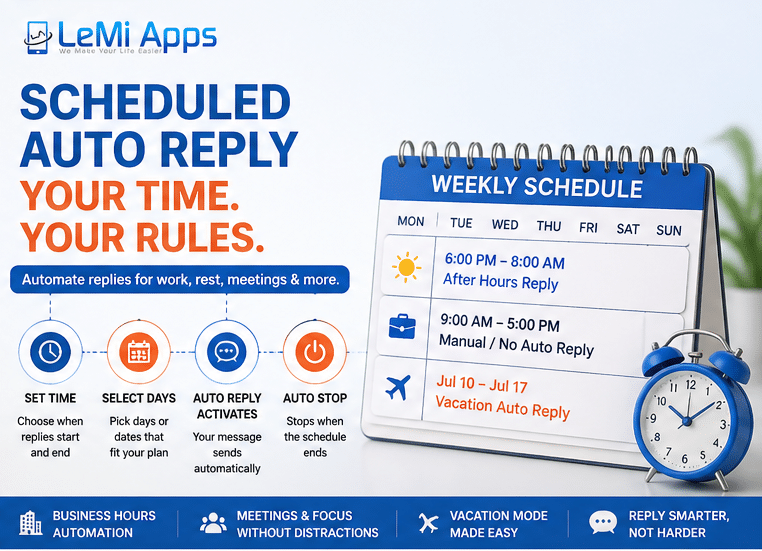
Modern communication creates pressure to remain permanently reachable.
Scheduled Auto Reply helps establish healthier communication boundaries without disconnecting entirely.
Instead of constantly checking messages during personal time, users can automate availability windows and reduce communication stress.
Popular personal scheduling scenarios:
- Sleep schedules
- Family time
- School pickup hours
- Workout sessions
- Focus work blocks
- Deep work sessions
- Personal weekends
- Digital detox periods
Example focus-session reply:
“Currently focused on priority work and may respond later today.”
The goal is not to avoid communication — but to manage expectations automatically and reduce mental overload from continuous availability.
Recurring Availability Systems
Scheduled Auto Reply is especially useful for users with predictable weekly routines.
Rather than recreating automation every day, recurring schedules allow communication systems to repeat automatically.
Common recurring logic:
- Weekday-only automation
- Weekend-only automation
- Daily recurring schedules
- Split schedules
- Morning/evening availability cycles
- Weekly repeating workflows
Example recurring system:
- Weekdays → business workflow
- Saturdays → reduced availability
- Sundays → no-response schedule
This creates long-term communication consistency with minimal manual management.
Vacation & Time-Off Communication
Temporary schedules are useful for vacations, conferences, travel, holidays, or personal leave.
Instead of forgetting to enable or disable replies manually, users can create date-range automation that activates automatically during absence periods.
Example vacation workflow:
- Start: July 10
- End: July 17
- Auto reply activates automatically
- Automation ends automatically upon return
Example vacation reply:
“I’m currently away and will reply after July 17.”
This is particularly useful for:
- freelancers
- consultants
- service providers
- small business owners
- customer support teams
How Scheduled Auto Reply Works
The automation process is designed around repeatable availability systems.
Typical workflow:
- Create a reply message
- Define start and end times
- Select weekdays or date ranges
- Save the automation profile
- Scheduled automation activates automatically
- The system disables itself when the schedule ends
Users can maintain multiple schedule profiles depending on workflow needs.
Common Scheduled Automation Examples
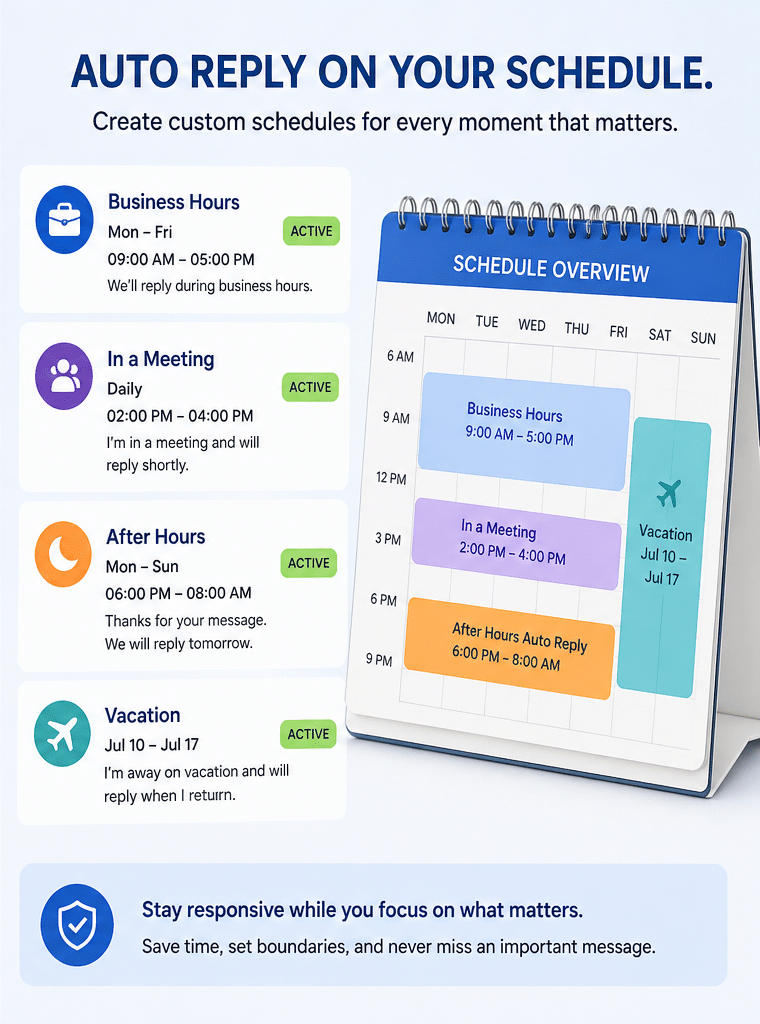
After-Hours Business Automation
“Thanks for your message. We’re currently closed and will respond during business hours.”
Meeting Automation
“I’m currently in a meeting and may respond later.”
Vacation Automation
“I’m currently away and will respond when I return.”
Focus Session Automation
“Currently unavailable while working on priority tasks.”
Weekend Automation
“Our office is closed for the weekend.”
Lead Acknowledgement Automation
“Thanks for contacting us. Your message has been received.”
Why Scheduled Communication Automation Matters
Fast acknowledgment matters even when immediate human responses are unavailable.
Communication automation helps:
- reduce uncertainty
- improve customer confidence
- maintain responsiveness
- lower communication pressure
- create predictable availability systems
For businesses, automation improves continuity.
For individuals, it reduces interruption fatigue and communication overload.
Related Communication Automation Capabilities
Scheduled automation can also work alongside other automation systems:
- Bluetooth Triggered Auto Reply
- Keyword Based SMS Response
- Custom Auto Reply Messages
- Contact Based Auto Reply
Example advanced workflow:
- Business hours schedule controls availability
- VIP contacts receive different responses
- Keywords trigger information replies
- Driving mode activates via Bluetooth
This creates layered communication automation instead of a single static auto reply.
Automate Replies Around Your Real Availability
Create recurring communication systems for business hours, meetings, vacations, weekends, focus sessions, and personal time — automatically.
- Explore SMS Auto Reply App
- Try Safe Driving Auto Reply
FAQ
What is Scheduled Auto Reply?
Scheduled Auto Reply automatically activates replies during selected times, days, or recurring availability periods.
Can I automate business hours replies?
Yes. Many users create after-hours, weekend, holiday, or unavailable-time communication workflows.
Can I create repeating weekly schedules?
Yes. Scheduled automation supports recurring weekly logic such as weekdays, weekends, or custom selected days.
Can I use Scheduled Auto Reply during meetings?
Yes. Many professionals use temporary schedules during meetings, focus sessions, or unavailable periods.
Does Scheduled Auto Reply work for vacations?
Yes. Date-range automation can automatically activate during vacations or temporary leave periods.
Can schedules stop automatically?
Yes. Automation profiles can disable themselves automatically when scheduled periods end.
Does Scheduled Auto Reply work with SMS?
Yes. Android SMS remains one of the strongest native automation channels.
Is Scheduled Auto Reply available on iPhone?
Automation capabilities are generally more advanced on Android due to operating system restrictions on iOS.