Not every contact should receive automatic replies.
Do Not Reply Lists allow users to exclude selected contacts from communication automation. Instead of sending the same automated response to everyone, users can create contact-based exceptions that prevent automatic replies from being sent to specific people, groups, or phone numbers.
This provides greater control over communication workflows while helping users maintain personalized communication preferences.
Many professionals combine Do Not Reply Lists with Scheduled Auto Reply and Custom Auto Reply Messages to create advanced communication automation strategies.
What Are Do Not Reply Lists?
A Do Not Reply List is a contact exclusion feature that prevents automatic responses from being sent to selected contacts.
Instead of disabling automation completely, users can choose exactly who should not receive automated replies.
Examples include:
- Family members
- Close friends
- VIP customers
- Team members
- Managers
- Internal company contacts
- Emergency contacts
- Personal contacts
This allows communication automation to remain active while avoiding unwanted automatic responses for selected individuals.
Do Not Reply Lists for Android Auto Reply Apps
Android users often use Do Not Reply Lists to create personalized communication rules. Contact exclusion settings allow automatic replies to remain active while preventing responses from being sent to selected contacts, family members, coworkers, managers, or VIP customers.
Instead of disabling automation completely, users can create contact-based exceptions that help maintain more personalized communication workflows. This approach is commonly used in business communication, driving auto reply scenarios, and scheduled communication automation.
Many users combine Do Not Reply Lists with Scheduled Auto Reply, Bluetooth Triggered Auto Reply, and Custom Auto Reply Messages to create advanced Android communication automation workflows.
Why Use Do Not Reply Lists?
Communication needs are different for every relationship.
Some contacts may require immediate personal responses, while others can receive automated replies.
Avoid Sending Auto Replies to Important Contacts
Many users prefer to manually respond to family members, supervisors, or key business contacts.
Do Not Reply Lists ensure those contacts never receive automated messages.
Create More Professional Communication Workflows
Businesses often separate customer communication from internal communication.
By excluding coworkers, managers, or partners from automation, organizations can maintain more professional communication processes.
Reduce Unnecessary Automated Responses
Some contacts communicate frequently throughout the day.
Excluding these contacts can help reduce repetitive automated replies and improve overall communication quality.
How Do Not Reply Lists Work?
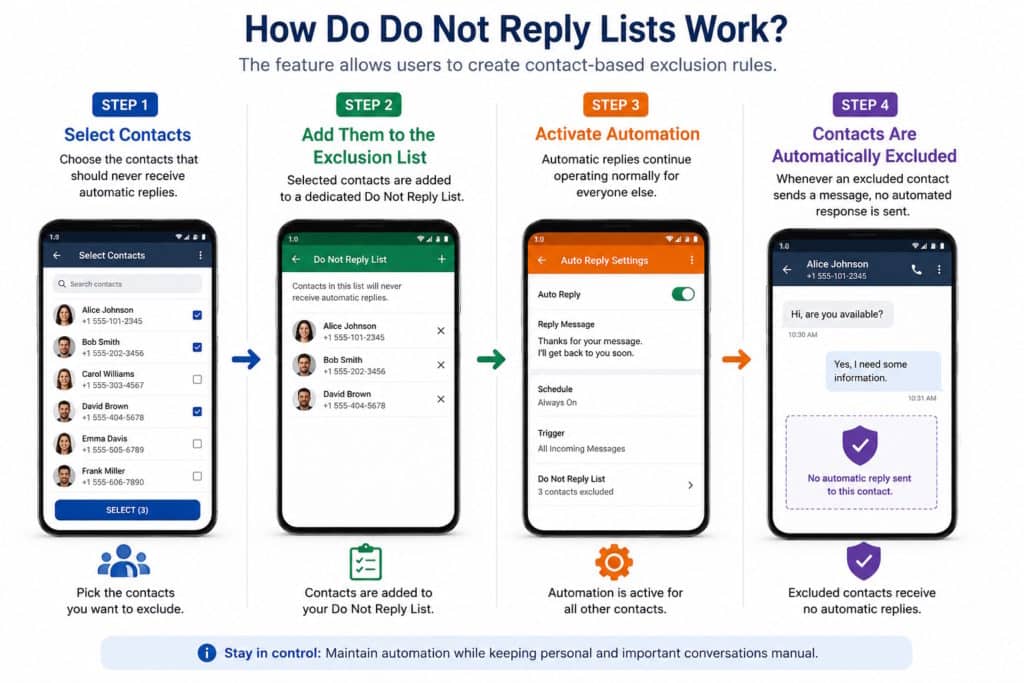
The feature allows users to create contact-based exclusion rules.
Step 1 – Select Contacts
Choose the contacts that should never receive automatic replies.
Step 2 – Add Them to the Exclusion List
Selected contacts are added to a dedicated Do Not Reply List.
Step 3 – Activate Automation
Automatic replies continue operating normally for everyone else.
Step 4 – Contacts Are Automatically Excluded
Whenever an excluded contact sends a message, no automated response is sent.
This allows users to maintain automation without affecting important personal or professional relationships.
Common Use Cases for Do Not Reply Lists
Business Communication
Many businesses use automated responses for customers while excluding internal staff members from automation workflows.
Family Communication
Parents, spouses, and close family members may require direct communication rather than automated responses.
Team Collaboration
Managers and team members often communicate frequently throughout the day.
Excluding internal contacts helps prevent unnecessary automated messages.
Customer Prioritization
Organizations may choose to exclude high-value customers and provide personalized responses instead.
Examples of Contacts to Exclude
Different users have different communication priorities. Do Not Reply Lists allow users to prevent automatic replies from being sent to selected contacts while keeping communication automation active for everyone else.
Family Members
Many users exclude spouses, parents, children, and close relatives from automatic replies to ensure personal communication remains direct and uninterrupted.
Business Partners
Business owners often exclude partners, investors, vendors, or strategic contacts who require personalized communication rather than automated responses.
Team Leaders and Managers
Employees and business professionals frequently exclude supervisors, managers, and leadership teams from auto reply workflows to maintain professional communication standards.
Emergency Contacts
Some users choose to exclude emergency contacts so important communication can receive immediate personal attention instead of automated responses.
Frequent Customers
Businesses may exclude high-value customers, repeat clients, or VIP accounts from automated messaging and provide more personalized customer service interactions.
Combine Do Not Reply Lists with Other Automation Features
Do Not Reply Lists become even more powerful when combined with other communication automation tools.
Scheduled Auto Reply
Create exclusion rules while automation runs only during specific times using Scheduled Auto Reply.
Bluetooth Triggered Auto Reply
Automatically activate driving communication workflows using Bluetooth Triggered Auto Reply while maintaining exclusion lists.
Text-to-Speech for Driving
Combine contact exclusions with Text-to-Speech for Driving to create safer hands-free communication experiences.
Custom Auto Reply Messages
Create personalized communication workflows with Custom Auto Reply Messages and exclusion-based contact management.
Benefits of Do Not Reply Lists
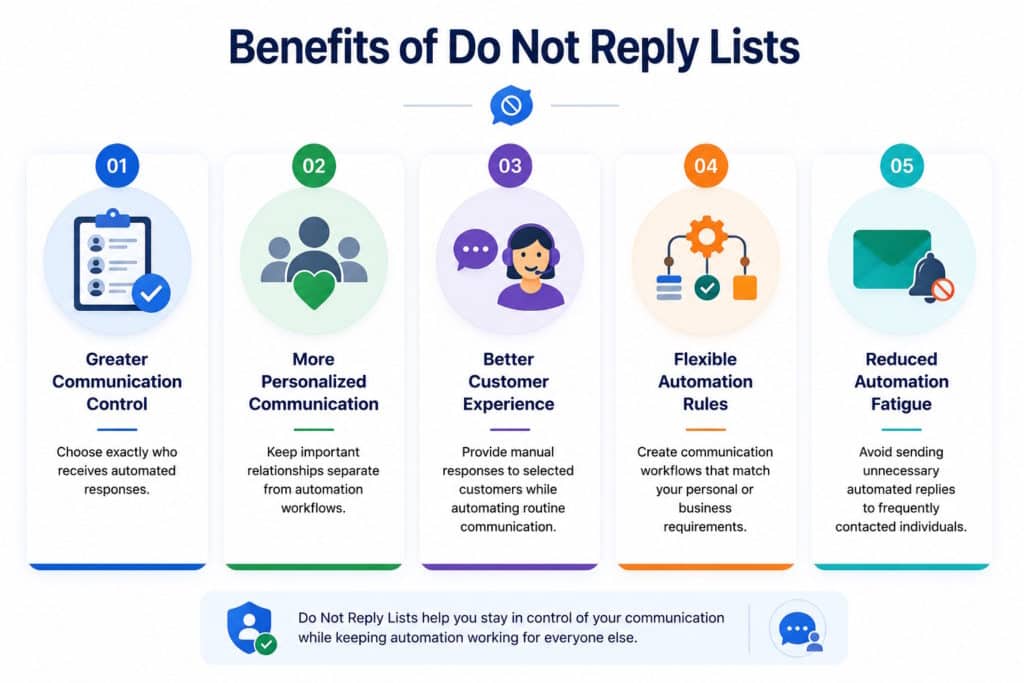
Greater Communication Control
Choose exactly who receives automated responses.
More Personalized Communication
Keep important relationships separate from automation workflows.
Better Customer Experience
Provide manual responses to selected customers while automating routine communication.
Flexible Automation Rules
Create communication workflows that match your personal or business requirements.
Reduced Automation Fatigue
Avoid sending unnecessary automated replies to frequently contacted individuals.
Best Practices for Contact Exclusion Lists
Review Lists Regularly
Communication priorities change over time. Periodically review exclusion settings to ensure they remain relevant.
Separate Personal and Business Contacts
Many users maintain different communication workflows for personal and professional relationships.
Prioritize High-Value Contacts
Consider excluding contacts who require immediate or highly personalized communication.
Keep Emergency Contacts Excluded
Many users prefer direct communication with emergency contacts rather than automated responses.
Who Uses Do Not Reply Lists?
Do Not Reply Lists are commonly used by professionals, businesses, and individuals who want greater control over communication automation.
The feature is especially useful when users need to balance automated responses with personalized communication for selected contacts.
- Small business owners
- Consultants
- Sales professionals
- Delivery drivers
- Real estate agents
- Healthcare practices
- Customer support teams
- Field service technicians
Contact-Based Communication Automation
Contact-based communication automation allows users to control who receives automated responses, who is excluded from automation, and how personalized communication workflows operate.
Rather than sending the same automatic reply to every contact, users can create customized communication rules based on contact groups, business relationships, family members, customers, or internal teams.
Do Not Reply Lists are commonly used alongside Scheduled Auto Reply, Bluetooth Triggered Auto Reply, Custom Auto Reply Messages, and other communication filtering rules to create more flexible automation workflows.
Personalized Communication Rules
Contact-based automation helps users decide who should receive automatic replies and who should be excluded from automation entirely.
Greater Communication Flexibility
Businesses and professionals often use contact filtering to balance automation with personalized customer service and internal communication requirements.
Smarter Automation Workflows
Combining contact exclusions with scheduling, Bluetooth activation, and custom reply messages allows users to build communication workflows that better reflect real-world communication needs.
Communication Automation and Contact Management
Effective communication automation is not only about sending automatic replies. It is also about deciding when not to send them.
The ability to create contact-based exclusions provides additional flexibility and control, helping users build smarter communication workflows that match real-world communication needs.
Refer to
Create Smarter Communication Rules
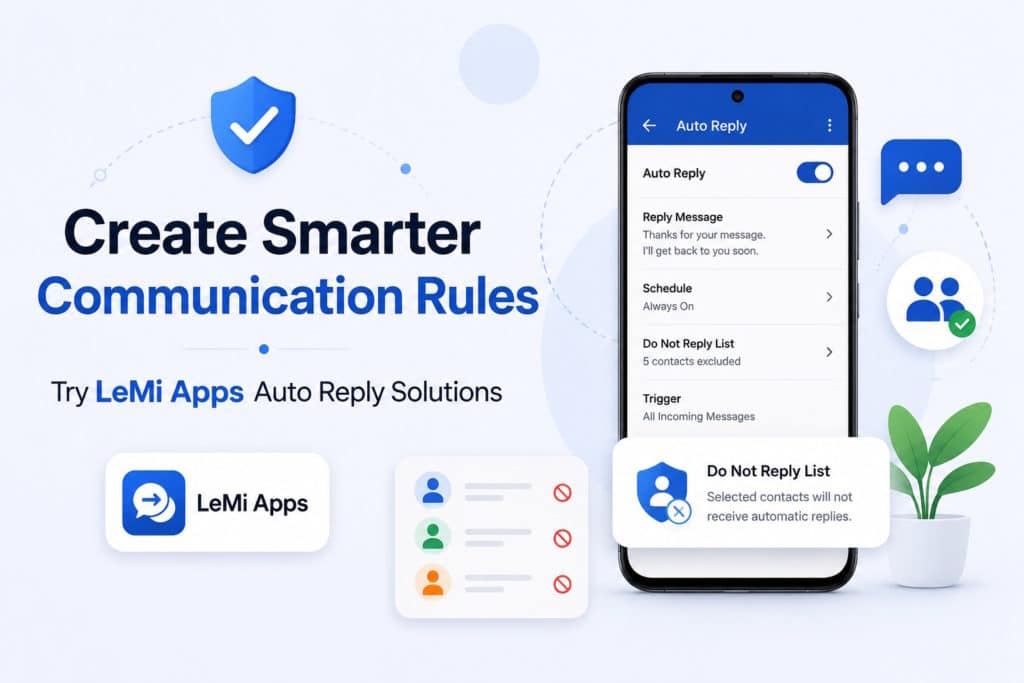
Not every contact should receive an automatic reply.
Use Do Not Reply Lists to exclude important contacts, create personalized communication workflows, and gain greater control over your automation settings.
Explore LeMi Apps communication automation solutions and build smarter contact-based reply rules today.
Try LeMi Apps Auto Reply Solutions
Available in the LeMi Apps SMS Auto Reply App and Safe Driving Auto Reply App.
FAQ
What is a Do Not Reply List?
A Do Not Reply List is a contact exclusion feature that prevents automatic replies from being sent to selected contacts.
Can I choose which contacts do not receive automatic replies?
Yes. Users can manually select contacts and add them to an exclusion list.
Will auto replies still work for other contacts?
Yes. Automation continues to operate normally for contacts that are not included in the Do Not Reply List.
Is this useful for business communication?
Yes. Many businesses exclude employees, managers, and internal teams while keeping customer communication automation active.
Can I combine Do Not Reply Lists with scheduled automation?
Yes. Contact exclusion rules can work alongside scheduled communication automation.
Can I exclude family members from auto replies?
Yes. Family members, friends, coworkers, and any selected contacts can be excluded from automated responses.
Can I update my exclusion list at any time?
Yes. Contacts can be added or removed from the Do Not Reply List whenever communication needs change.
Does this work with driving auto reply automation?
Yes. Do Not Reply Lists can be combined with driving-focused communication automation and Bluetooth-triggered workflows.
Can I create multiple Do Not Reply Lists?
Yes. Many users organize exclusions based on personal contacts, business contacts, family members, or other communication groups depending on their automation workflow.