Auto Reply vs Do Not Disturb -which communication strategy is better when you’re unavailable?
When you cannot answer your phone, there are two very different ways to handle communication.
- You can silence interruptions.
- Or you can acknowledge messages automatically.
That is the core difference between Auto Reply App and Do Not Disturb Mode.
Do Not Disturb is designed to protect your attention by muting calls, message alerts, and notifications.
Auto Reply is designed to protect communication by sending an automatic response when you cannot answer manually.
This page is not about choosing between two apps. It is about choosing the right communication strategy for the situation. If you are unavailable because you are driving, in a meeting, helping a customer, sleeping, off duty, or simply trying to focus, the better option depends on what matters more in that moment:
- reducing interruptions
- informing callers and message senders
- setting expectations
- protecting customer experience
- allowing emergency contacts through
- avoiding missed opportunities
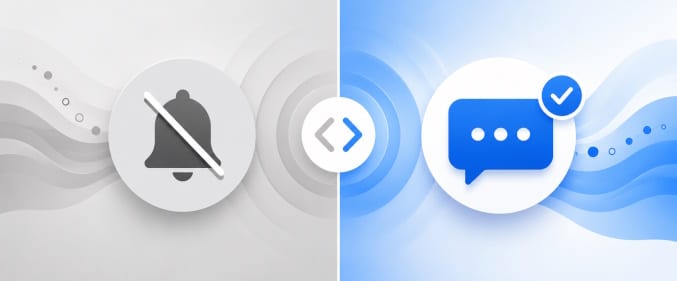
The short answer
If your main goal is silence, Do Not Disturb is usually the better tool.
If your main goal is communication continuity, Auto Reply app is usually the better tool.
If you want to avoid distractions and avoid leaving people without a response, the strongest setup is often to use both together.
What is Do Not Disturb?
Do Not Disturb is a phone setting designed to reduce or eliminate interruptions. It can silence calls, text alerts, app notifications, sounds, and vibrations so you can stay undisturbed during unavailable hours.
On Android, Do Not Disturb can usually be configured to allow exceptions such as:
- favorite contacts
- repeat callers
- alarms
- calendar events and reminders
- selected apps or notification types
In other words, Do Not Disturb changes what you hear and see.
It does not tell the sender anything. The person calling or texting you typically has no idea whether you are busy, asleep, driving, in a meeting, or simply ignoring your phone.
What is Auto Reply?
Auto Reply is a communication automation strategy that sends a predefined response when you are unavailable.
Instead of only muting the interruption, Auto Reply responds to it. The response can tell the sender that you are busy, driving, in a meeting, outside business hours, unavailable for calls, or temporarily away from your phone.
Depending on the app and setup, auto replies can be triggered manually, by schedule, by activity, or by status. They can also be personalized for different contacts, groups, or scenarios.
In other words, Auto Reply changes what the sender receives.
That difference matters because many communication problems are not caused by the notification itself. They are caused by uncertainty. People do not know whether their message was seen, whether you are available, or whether they should wait, call again, or contact someone else.
Auto Reply vs Do Not Disturb: the real difference
The simplest way to think about it is this:
- Do Not Disturb manages your phone
- Auto Reply manages the other person’s expectations
Do Not Disturb is inward-facing. It protects your focus and your time.
Auto Reply is outward-facing. It protects communication clarity and continuity.
That is why these two approaches solve different problems even when they are used in the same situation.
Auto Reply vs Do Not Disturb by communication goal
1) Interruptions: blocking them vs managing them
If your problem is constant interruption, Do Not Disturb is the cleaner solution.
It is designed to stop the phone from pulling your attention away. Calls can be silenced, texts can arrive without alerts, and app notifications can be hidden or muted. If you are trying to sleep, concentrate, present in a meeting, or avoid the temptation to check every message, this matters.
Auto Reply does the same + it reduce the need for follow-up by sending an immediate response. That can prevent repeated calls, “Just checking if you saw this” messages, or frustration from someone who thinks you are not responding.
Best fit:
- Choose Do Not Disturb when the main problem is interruption.
- Choose Auto Reply when the main problem is unanswered communication.
- Use both when you want silence for yourself and acknowledgment for the sender.
2) Notifications: silent device vs informed sender
Do Not Disturb works on your side of the conversation. It changes what happens on your device.
Auto Reply works on the sender’s side of the conversation. It changes what happens after they contact you.
This is one of the most important differences on the page.
With Do Not Disturb:
- your phone becomes quieter
- your focus improves
- the sender gets no explanation
With Auto Reply:
- the sender receives a message
- expectations are set immediately
- uncertainty is reduced
That difference can completely change the experience of being unavailable.
If a friend texts you while you are resting, silence may be fine. If a customer sends a question about pricing, availability, or an urgent issue, silence may create friction. If a lead messages your business after hours, silence can feel like no response at all.
For communication-heavy situations, Auto Reply usually offers more value because it addresses the sender’s uncertainty rather than only your notifications.
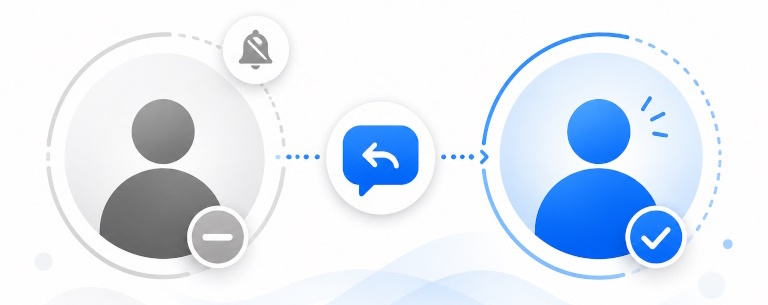
3) Caller expectations: silence vs acknowledgment
People do not always expect a full conversation. But they often expect acknowledgment.
That is especially true when communication is time-sensitive, business-related, or emotionally important.
Do Not Disturb does not acknowledge anything. It simply prevents the interruption from reaching you in the usual way.
Auto Reply acknowledges the contact. Even a short message can make a major difference:
- “I’m currently in a meeting and will get back to you soon.”
- “I’m driving right now and cannot reply safely.”
- “Thanks for your message. We’re currently outside business hours and will respond as soon as possible.”
- “I’m unavailable at the moment. If this is urgent, please call again or contact our office.”
These messages do not solve the sender’s problem on their own, but they answer an important hidden question: Did my message disappear into a void, or did it reach someone?
That is why Auto Reply is often better in scenarios where trust, reassurance, or responsiveness matters.
4) Customer experience: quiet for you vs clarity for the customer
For customer communication, Do Not Disturb and Auto Reply are not equal.
Do Not Disturb helps you work with fewer interruptions. But it does not improve the customer’s experience directly.
Auto Reply can improve customer experience because it gives the customer immediate confirmation that:
- the message was received
- you are unavailable for a reason
- they are not being ignored
- they may get a reply later
- there may be another next step if the matter is urgent
For example, if someone contacts a business after hours and gets no response at all, they may keep shopping, call a competitor, or assume the business is unresponsive. A short automatic reply can reduce that risk.
That is why Auto Reply is often a stronger fit for:
- after-hours customer communication
- missed inquiry protection
- lead response
- service businesses
- appointment-based businesses
- solo operators who cannot answer every message live
If this is your use case, see also After-Hours Auto Reply and Missing Customer Messages After Hours.
5) Missed opportunities: where silence becomes expensive
This is one of the biggest reasons Auto Reply exists.
Do Not Disturb is excellent at reducing distractions, but it does not reduce the communication cost of silence. If the person contacting you is a customer, prospect, tenant, patient, lead, vendor, or service request, silence can create a missed opportunity.
Examples:
- a new lead asks for a quote and hears nothing
- a customer wants to know whether you are open
- a client messages during a meeting and assumes you are unavailable all day
- a delivery or service coordination message goes unanswered
- someone needs to know when they should expect a reply
In these cases, the problem is not just interruption. The problem is what happens after no one answers.
Auto Reply is stronger here because it keeps the communication moving. Even if you are not available to engage immediately, the sender receives a signal that the message was received and may also receive next-step guidance.
That is why Auto Reply is often a better fit for:
- lead generation
- sales inquiries
- service scheduling
- support acknowledgments
- solo businesses
- high-message environments
- anyone trying to reduce “lost because no one replied” scenarios
Scenario-by-scenario comparison
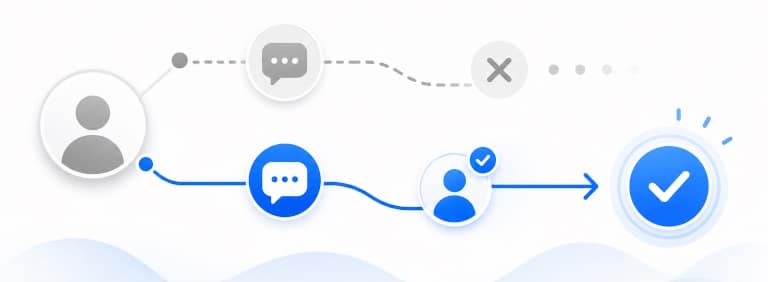
Auto Reply vs Do Not Disturb for meetings
If you are in a meeting and simply do not want interruptions, Do Not Disturb may be enough.
If people contacting you need context, Auto Reply is usually better.
A professional unavailable message can tell colleagues, customers, or clients that you are in a meeting and will respond later. That reduces repeated calls and uncertainty without forcing you to check your phone.
If meetings are a common use case for you, see How to Auto Reply during Meetings.
Auto Reply vs Do Not Disturb for after-hours communication
After-hours communication is one of the clearest examples of where Auto Reply usually wins.
If your business is closed, Do Not Disturb can silence the phone, but it does not tell customers whether you are closed, when you will reopen, or whether they should expect a reply.
Auto Reply can do exactly that.
For example:
“Thanks for your message. We’re currently outside business hours. We’ll reply as soon as possible during our next business day.”
That kind of response improves the experience without requiring live availability.
Auto Reply vs Do Not Disturb while driving
Driving creates a different type of unavailable state because the issue is not only convenience. It is safety.
Do Not Disturb can help reduce distraction by silencing calls and notifications while you drive. That is useful because it lowers the temptation to check the phone.
Auto Reply adds another layer: it tells people you are driving and cannot respond safely right now.
That can be valuable for family members, coworkers, customers, or anyone expecting a response. Instead of silence, they receive context.
For driving, Auto Reply is not just a productivity tool. It can be part of a safer communication workflow.
If this is your main scenario, see Safe Driving Auto Reply App.
Auto Reply vs Do Not Disturb for personal time
If you are resting, sleeping, spending time with family, or taking a break from your phone, Do Not Disturb is often enough.
Not every unavailable period needs a communication layer.
If the people contacting you are personal contacts who do not need an explanation, silence may be perfectly fine. In that case, Auto Reply may be unnecessary unless you specifically want to tell people that you are away.
Auto Reply vs Do Not Disturb for business lead response
If your phone receives leads, inquiries, booking requests, quote requests, or support questions, Do Not Disturb alone is rarely the stronger strategy.
It may protect your attention, but it does nothing to reassure the sender or preserve momentum.
Auto Reply is better because it keeps the conversation alive even when you cannot answer right away. That does not replace real follow-up, but it helps bridge the gap.
If your business depends on timely replies, this is one of the strongest cases for Auto Reply.
When Do Not Disturb is the better choice
Do Not Disturb is usually the better option when your priority is to stop interruptions and you do not need to communicate anything back.
Use Do Not Disturb when:
- you want silence while sleeping
- you need deep focus
- you are in a meeting and the sender does not need a response
- you are taking personal time and do not want alerts
- your problem is the noise and distraction itself
In short, Do Not Disturb is best when the issue is attention management.
When Auto Reply is the better choice
Auto Reply is usually the better option when your priority is to keep communication moving while you are unavailable.
Use Auto Reply when:
- customers, leads, or clients expect acknowledgment
- you want to explain why you are unavailable
- you want to reduce repeated follow-ups
- you want to protect after-hours customer experience
- you want to tell people you are driving, in a meeting, or temporarily away
- missed messages can turn into missed opportunities
- you want to set expectations without manually replying
In short, Auto Reply is best when the issue is expectation management.
Need more than silence when you’re unavailable?
If you want callers and message senders to receive a response instead of silence.
Try SMS Auto Reply & Autoresponder
For safer driving communication workflow.
Try Safe Driving Auto Reply App
FAQ
Is Auto Reply better than Do Not Disturb?
It depends on the goal. If you want fewer interruptions, Do Not Disturb is often better. If you want people to receive an acknowledgment while you are unavailable, Auto Reply is usually better.
What is the main difference between Auto Reply vs Do Not Disturb?
Do Not Disturb silences calls, alerts, and notifications on your phone. Auto Reply sends an automatic response to the person contacting you. One protects your attention; the other manages communication expectations.
Can I use Auto Reply and Do Not Disturb together?
Yes. In many cases that is the best setup. Do Not Disturb keeps your phone quiet, while Auto Reply tells callers or message senders that you are unavailable and may respond later.
Is Do Not Disturb enough for business communication?
Usually not if customers, leads, or clients expect acknowledgment. Do Not Disturb helps you avoid interruptions, but it does not reassure the sender or explain your availability. Auto Reply is often the better business communication strategy.
Is Auto Reply useful during meetings?
Yes. Auto Reply can send a message such as “I’m in a meeting right now and will reply as soon as possible.” That gives people context without requiring you to check your phone.
Is Auto Reply better than Do Not Disturb while driving?
For safety, Do Not Disturb can help reduce distraction. Auto Reply can add a communication layer by telling people that you are driving and cannot respond manually. Many drivers benefit from using both.
Can Do Not Disturb allow emergency contacts through?
Yes, depending on your phone settings. Android Do Not Disturb can often be configured to allow priority contacts, repeat callers, alarms, or other exceptions.
Which option is better for after-hours customer messages?
Auto Reply is usually better because it can confirm the message was received and explain that you are currently outside business hours.
Does Do Not Disturb tell someone that I am unavailable?
No, not usually. Do Not Disturb mainly affects how notifications and calls behave on your device. It does not normally send any message to the caller or sender.
Who should use Auto Reply instead of Do Not Disturb?
Auto Reply is a stronger choice for businesses, customer-facing roles, busy professionals, drivers, and anyone who wants to reduce communication gaps instead of only reducing interruptions.