Modern driving requires constant attention, yet incoming messages, calls, and notifications continue competing for a driver’s focus.
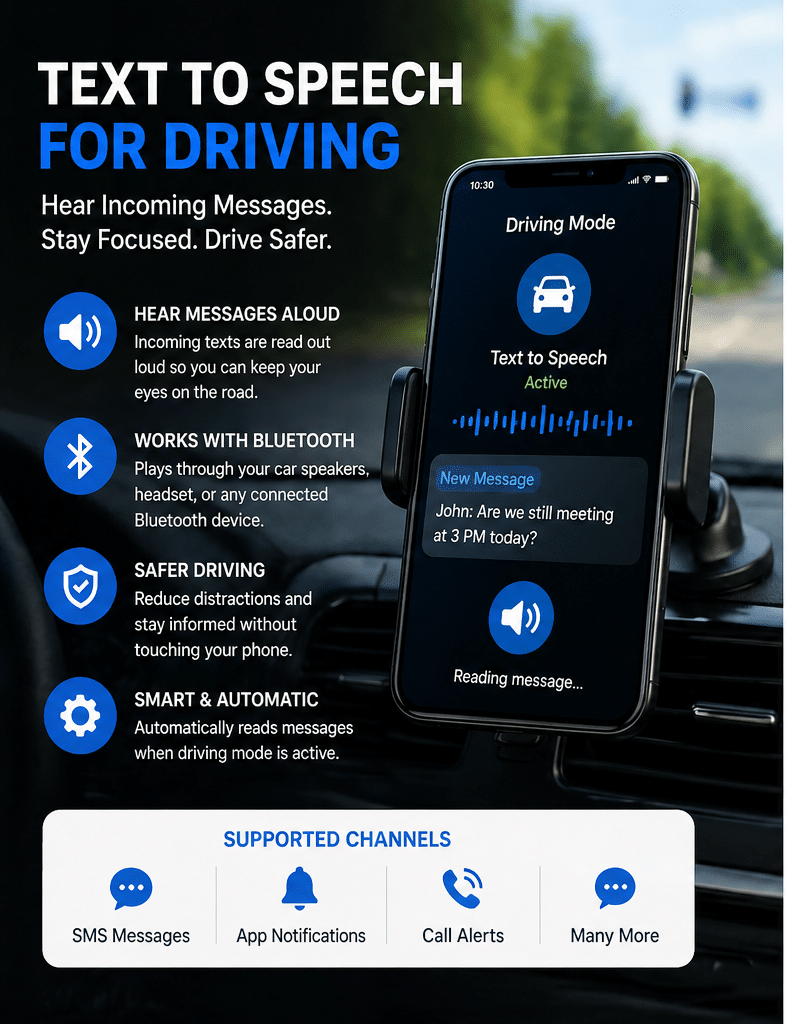
Text to Speech for Driving helps reduce visual distraction by converting incoming messages into spoken audio while you drive. Instead of looking at your screen, checking notifications, or stopping to read messages manually, the system reads important communication aloud through your car speakers, Bluetooth headset, or connected audio device.
This creates a safer, more hands-free communication experience designed for real driving environments.
Many drivers use this capability together with the Safe Driving Auto Reply App to stay reachable without constantly touching their phone.
Audio-First Driving Communication
Most communication tools are still built around visual interaction:
• Looking at screens
• Reading notifications
• Unlocking devices
• Switching between apps
Driving changes those conditions completely.
Text-to-speech driving automation shifts communication from visual interaction to audio awareness. Incoming messages become part of the in-car audio environment rather than another reason to look away from the road.
Instead of:
“Let me check my phone.”
The experience becomes:
“I can hear whether the message is important without taking my eyes off traffic.”
This is especially useful during:
• Highway driving
• Urban traffic congestion
• Navigation-heavy driving
• Delivery routes
• Long commutes
• Fleet operations
Why Visual Distraction Matters While Driving
Even short glances at a phone screen can interrupt driver awareness.
Drivers commonly look at phones to:
• Read SMS messages
• Check business notifications
• View messaging app alerts
• Confirm caller information
• Read customer inquiries
Text-to-speech reduces the need for these visual interruptions by announcing incoming communication automatically.
Instead of manually checking every notification, drivers can remain focused on:
• Traffic conditions
• Navigation
• Road hazards
• Pedestrians
• Vehicle surroundings
This creates a safer communication workflow while maintaining awareness of important incoming information.
Cognitive Load Reduction While Driving
Driving already demands continuous cognitive processing:
• Navigation decisions
• Speed management
• Traffic interpretation
• Lane positioning
• Hazard awareness
Adding manual phone interaction increases mental overload.
Text-to-speech automation reduces communication friction by simplifying message awareness into passive listening rather than active device interaction.
Benefits may include:
• Less urge to grab the phone
• Fewer unnecessary screen checks
• Reduced multitasking pressure
• Better situational awareness
• More consistent focus during long drives
This becomes especially valuable for drivers who spend multiple hours on the road daily.
In-Car Audio Routing
Incoming messages can be played through different audio environments depending on driver setup and Android permissions.
Common audio routing methods include:
• Car Bluetooth speakers
• Motorcycle helmet Bluetooth systems
• Hands-free headsets
• Wireless earbuds
• Vehicle infotainment systems
• Phone speaker output
Many users combine this capability with Bluetooth hands-free triggered Auto Reply so driving mode activates automatically when entering the vehicle.
How Text to Speech for Driving Works
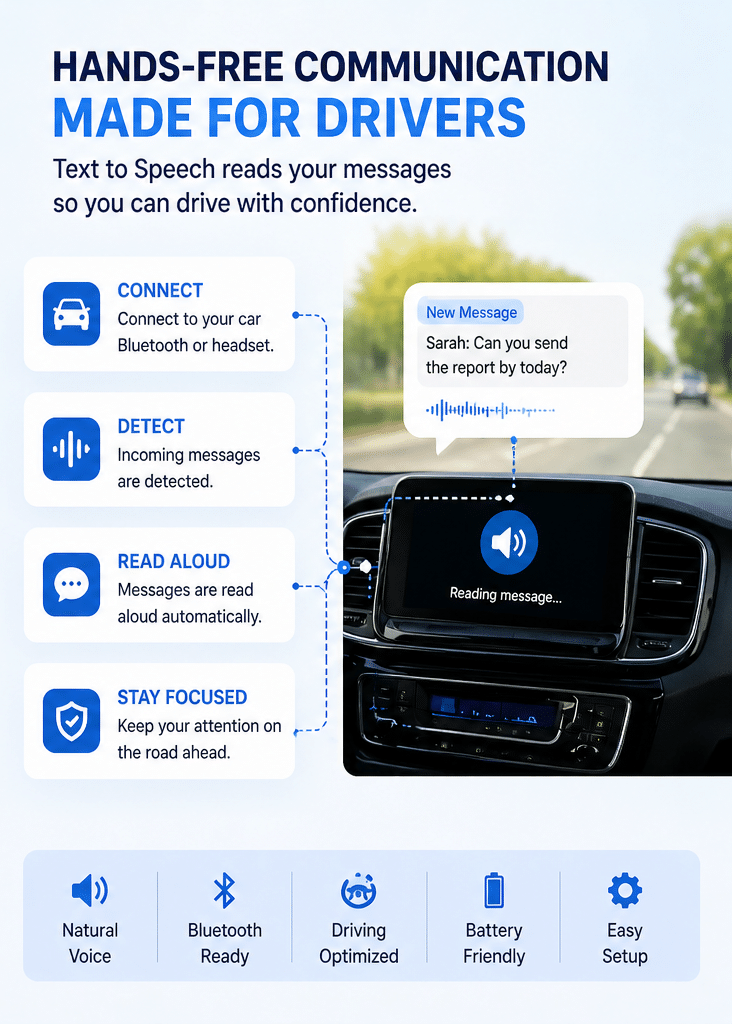
Typical workflow:
- Enable text-to-speech inside the app
- Connect car Bluetooth or audio device
- Activate driving mode manually or automatically
- Incoming messages are detected
- Message content converts to spoken audio
- Audio plays through connected speakers
- Driver remains hands-free and focused
EXAMPLE DRIVING WORKFLOW
Car Bluetooth connects
↓
Driving mode activates
↓
Incoming SMS or message notification arrives
↓
Message is read aloud automatically
↓
Driver continues driving without touching the phone
Many users also combine this with Scheduled Auto Reply profiles for commuting hours or work-related driving.
Real-World Driving Use Cases
Daily Commutes
Hear important messages during traffic-heavy travel without repeatedly checking the screen.
Delivery & Courier Drivers
Maintain awareness of customer communication while navigating active delivery routes.
Business Travel
Stay informed between meetings while reducing unnecessary distractions behind the wheel.
Parents Driving with Children
Receive family updates hands-free during pickups, errands, and school transportation.
Fleet & Field Teams
Support safer communication workflows for employees spending significant time driving.
Long-Distance Driving
Reduce repetitive phone checking during extended highway travel.
Android-Based Hands-Free Communication
Text-to-speech driving automation works best within Android communication environments where notification and accessibility permissions allow message processing.
Support may vary depending on:
• Android version
• Device manufacturer
• Bluetooth hardware
• Battery optimization settings
• Notification permissions
• Third-party app restrictions
For strongest compatibility, Android SMS remains one of the most reliable native communication channels.
Best Results Configuration
For improved reliability:
• Enable notification access
• Disable aggressive battery optimization for the app
• Allow Bluetooth permissions
• Use stable car Bluetooth pairing
• Keep Android accessibility permissions enabled where required
Some manufacturers apply stricter background limitations that may affect automation consistency.
Related Capabilities
Bluetooth Triggered Auto Reply
Automatically activate driving communication tools when your vehicle Bluetooth connects.
Create recurring driving schedules for commuting hours or work travel.
Automatically respond when calls cannot be answered safely while driving.
Explore complete hands-free driving communication workflows.
Hear Messages Without Looking at Your Phone
Reduce visual distraction and stay informed while driving using smart audio-based communication automation.
Explore:
- Safe Driving Auto Reply App
• SMS Auto Reply App
• Bluetooth Triggered Auto Reply
• Scheduled Auto Reply
FAQ
What is Text to Speech for Driving?
Text to Speech for Driving converts incoming messages into spoken audio while driving, allowing drivers to hear communication without looking at their phone screen.
Can messages play through car Bluetooth speakers?
Yes. Many Android devices can route message audio through connected car Bluetooth systems, hands-free headsets, motorcycle helmets, and other compatible audio devices.
Does text-to-speech reduce driving distraction?
Text-to-speech can help reduce visual phone interaction by reading messages aloud, allowing drivers to stay focused on the road instead of checking notifications manually.
Can it read SMS messages aloud?
Yes. Android SMS is one of the strongest native use cases for text-to-speech message readout while driving.
Can I combine text-to-speech with auto replies?
Yes. Many drivers combine voice message readout with automatic driving replies to create a more complete hands-free communication experience.
Does it support Bluetooth headsets or motorcycle helmets?
Many Bluetooth-enabled audio devices support spoken message playback, including hands-free headsets, motorcycle communication systems, and compatible vehicle audio systems.
Is Android better for this type of automation?
Android generally provides stronger automation, notification access, and hands-free communication capabilities than iPhone and iOS environments.