Many Android users ask whether Android Auto already provides everything needed for safe communication while driving and how Android Auto vs Safe Driving Auto Reply App differ. The answer depends on how you communicate.
Android Auto is Google’s in-car driving platform that focuses on navigation, voice commands, media playback, and hands-free messaging. It allows drivers to hear incoming messages, dictate responses using voice, and interact with supported apps without touching the phone.
Safe Driving Auto Reply App focuses on a different problem: automatically responding when you cannot safely answer messages or calls. Instead of requiring voice interaction, it automatically informs contacts that you’re currently driving.
Although both solutions help reduce phone distractions, they solve different communication needs.
Learn more about the Safe Driving Auto Reply App and how it automates communication while driving.
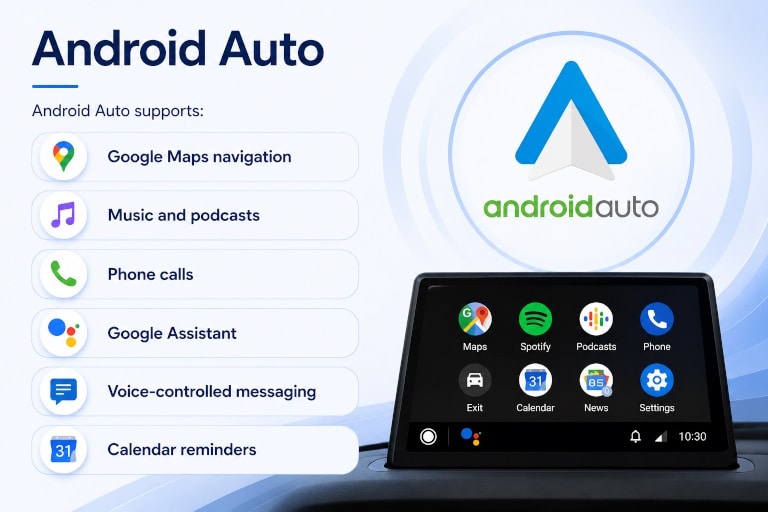
What Is Android Auto?
Android Auto is Google’s driving interface that projects a simplified version of your Android phone onto your vehicle’s infotainment display or compatible phone screen.
Its primary goal is minimizing driver distraction while keeping essential apps accessible through voice commands and large touch controls.
Android Auto supports:
- Google Maps navigation
- Music and podcasts
- Phone calls
- Google Assistant
- Voice-controlled messaging
- Calendar reminders
- Compatible third-party apps
Rather than encouraging manual phone use, Android Auto allows most common actions to be performed using voice. If your primary goal is automatic responses rather than voice interaction, see our guide to How to Auto Reply While Driving.
Messaging Capabilities in Android Auto
One of Android Auto’s strongest features is messaging.
When a new message arrives, Android Auto can:
- Read messages aloud using text-to-speech
- Announce the sender
- Ask whether you’d like to reply
- Convert your spoken response into text
- Send messages without touching your phone
Supported messaging platforms include many popular communication apps that integrate with Android Auto.
This works especially well when the driver is comfortable speaking responses aloud. Drivers who prefer messages to be read aloud may also benefit from Text-to-Speech message reading while driving.
Voice Replies with Google Assistant
Android Auto relies heavily on Google Assistant.
Instead of typing, users say:
- “Reply”
- “Send a message”
- “Call John”
- “Text Sarah”
Google Assistant performs speech recognition and sends the dictated message.
This creates an excellent completely hands-free messaging experience.
However, every reply still requires the driver’s attention and voice interaction.
Does Android Auto Send Automatic Replies?
This is where many users become confused.
Android Auto does not automatically send custom replies when someone texts or calls.
Instead, Android Auto expects the driver to:
- Hear the notification
- Decide whether to respond
- Speak the reply
Some messaging apps may offer predefined Smart Replies, but Android Auto itself is not an automatic autoresponder. Learn how Driving Auto Reply automatically responds to incoming messages without requiring voice interaction.
If the driver ignores the notification, no message is automatically sent explaining they are driving.
Driving Detection
Android Auto activates when connected to a compatible vehicle or supported head unit.
Once active, it provides:
- simplified interface
- larger controls
- voice-first interaction
- safer messaging workflow
Its focus is making communication safer—not automating communication.
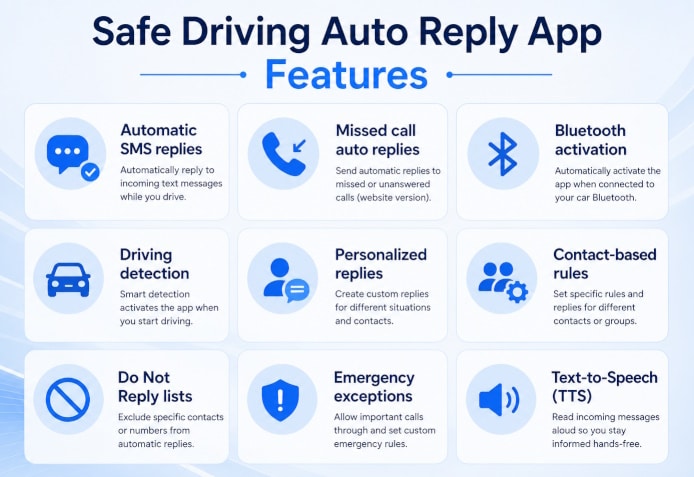
Safe Driving Auto Reply App
Safe Driving Auto Reply App takes a different approach.
Instead of asking the driver whether to reply, it automatically responds on the driver’s behalf.
The app can automatically activate when driving is detected and send predefined responses without requiring any interaction.
Features include:
- Automatic SMS replies
- Missed call auto replies
- Automatic replies for multiple messaging apps
- Bluetooth activation
- Driving detection
- Personalized replies
- Contact-based rules
- Do Not Reply lists
- Emergency exceptions
- Read incoming messages aloud using Text-to-Speech
The goal is to let drivers remain fully focused on the road while contacts immediately know why there is no response.
Android Auto vs Safe Driving Auto Reply
| Feature | Android Auto | Safe Driving Auto Reply |
| Read messages aloud | ✅ | ✅ |
| Automatic SMS replies | ❌ | ✅ |
| Automatic replies to messaging apps | ❌ | ✅ |
| Missed call auto reply | ❌ | ✅ |
| Auto Activation | Vehicle connection | Bluetooth Triggered & Driving detection |
| Personalized replies | Limited | ✅ |
| Navigation | ✅ | ❌ |
| Voice assistant | ✅ | Google Assistant Limited |
| Voice dictation | ✅ | ❌ |
| Contact-specific replies | ❌ | ✅ |
| Google Maps | ✅ | ❌ |
| Music control | ✅ | ❌ |
Who Should Choose Android Auto?
Android Auto is an excellent choice if you primarily want:
- navigation
- voice-controlled messaging
- Google Assistant
- music and podcasts
- hands-free calling
It is designed to keep drivers connected while still allowing active voice interaction.
Who Benefits from Safe Driving Auto Reply App?
Safe Driving Auto Reply App is ideal for users who:
- prefer not to respond while driving
- want automatic replies
- receive frequent messages
- want callers informed automatically
- use multiple messaging apps
- want personalized automation
- need business communication while driving
- want communication without speaking
Rather than requiring interaction, it keeps contacts informed automatically.
Android Auto vs Safe Driving Auto Reply: Which One Is Right for You?
These products are not direct competitors—they solve different problems.
Choose Android Auto if your priority is using navigation, media, voice commands, and interactive messaging while driving.
Choose Safe Driving Auto Reply App if your priority is fully distraction-free driving, automatically responding to messages and calls without needing to interact with your phone or speak while driving.
Many drivers actually use both together: Android Auto for navigation and voice control, and Safe Driving Auto Reply for communication automation. Learn more about Google Assistant vs Safe Driving Auto Reply
Conclusion
If your goal is to automatically, notify callers and message senders that you’re driving—without speaking, tapping, or interacting—a dedicated auto-reply solution by LeMi Apps fills a gap that Android Auto does not address.
Android Auto is one of the best hands-free driving platforms available, offering excellent navigation, voice assistance, and message dictation. However, it is designed for interactive communication, not communication automation.
Automate Your Driving Communication
Compare additional communication solutions
Frequently Asked Questions
Can Android Auto automatically reply to text messages?
No. Android Auto lets you dictate replies using Google Assistant, but it does not automatically send custom responses when messages arrive.
Can Android Auto read messages aloud?
Yes. Android Auto uses text-to-speech to read supported incoming messages through your vehicle’s speakers.
Does Android Auto support voice replies?
Yes. Google Assistant allows drivers to dictate responses without touching the phone.
Can Android Auto automatically reply to missed calls?
No. Android Auto does not automatically send SMS responses after missed or unanswered calls.
Can I use Android Auto together with Safe Driving Auto Reply?
Yes. Many users use Android Auto for navigation and voice interaction while using Safe Driving Auto Reply to automatically respond to incoming messages and calls.